Tuesday, June 30, 2020

Cummins Insite Reset Aftertreatment System after DPF Clean for CM2250

Cummins Insite Reset Aftertreatment System after DPF Clean for CM2250

Chinaobd2 is a leading supplier of all kinds of Car Diagnostic Tool, Truck Diagnostic Tool, OBD2 Code Reader, Car Key Programmer,ECU Chip Tunning,etc. Currently, the top selling product including: VCDS VAG COM Cable, iProg+ Programmer, Scania VCI3

chinaobd2

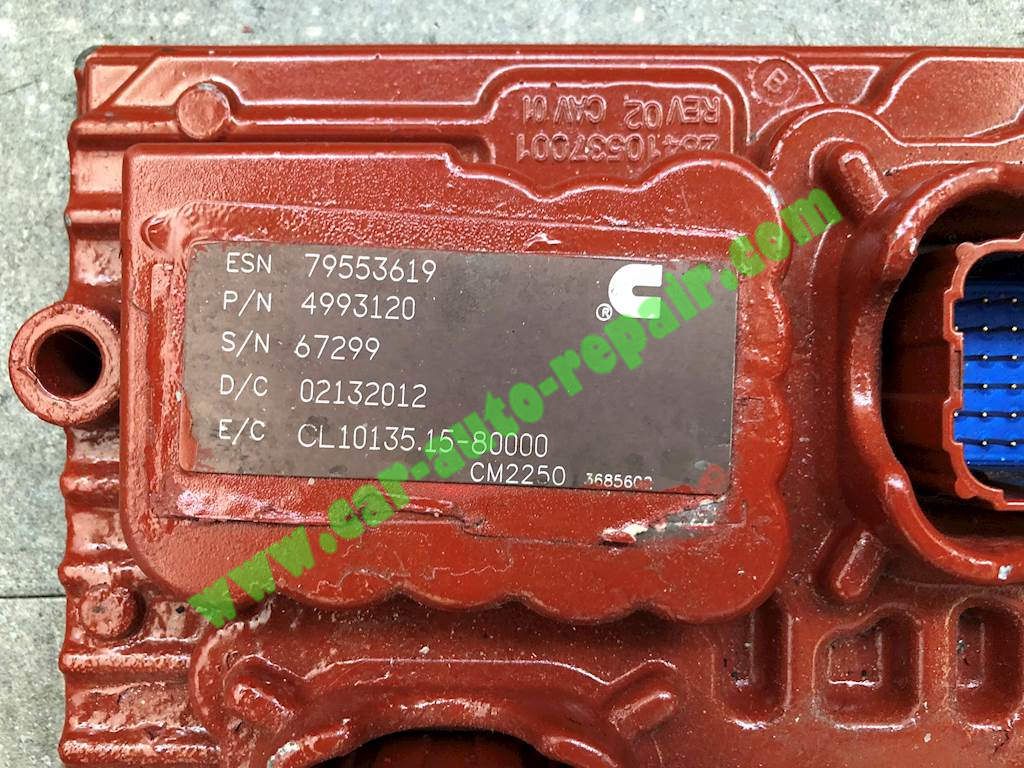
This instruction show you guide on how to use Cummins Insite software to reset Aftertreatment system after DPF clean for Cummins CM2250 engine ECM.

Cummins-Insite-Reset-Aftertreatment-System-after-DPF-Clean-1

Preparations:

Newest Cummins Insite 8.6 8.4 Free Download

Procedures:

Connect Cummins Insite interface to diagnostic port

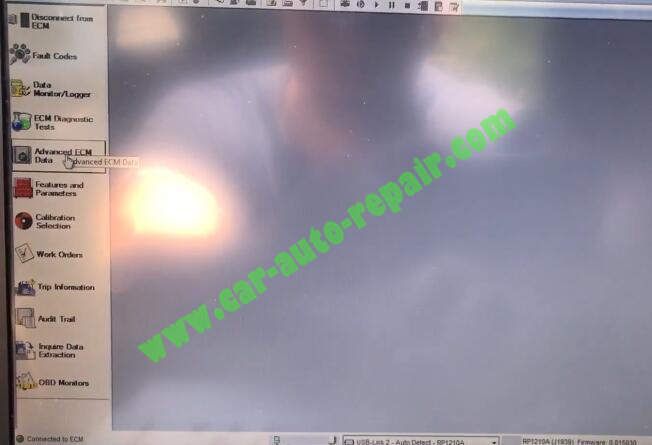
Then run software and connect to ECM,after then select “Advanced ECM Data”

Cummins-Insite-Reset-Aftertreatment-System-after-DPF-Clean-2

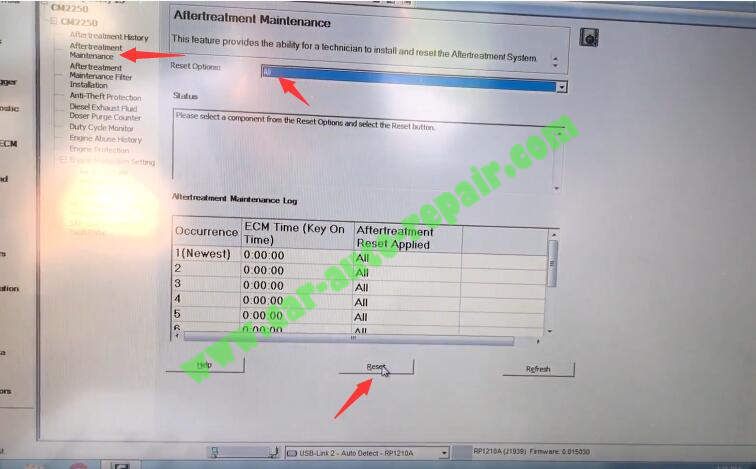
Then select “Aftertreatment Maintenance”

This feature provides the ability for a technician to install and reset the Aftertreatment System.

Select “All” from Reset Options and then click “Reset” button to continue

Cummins-Insite-Reset-Aftertreatment-System-after-DPF-Clean-3

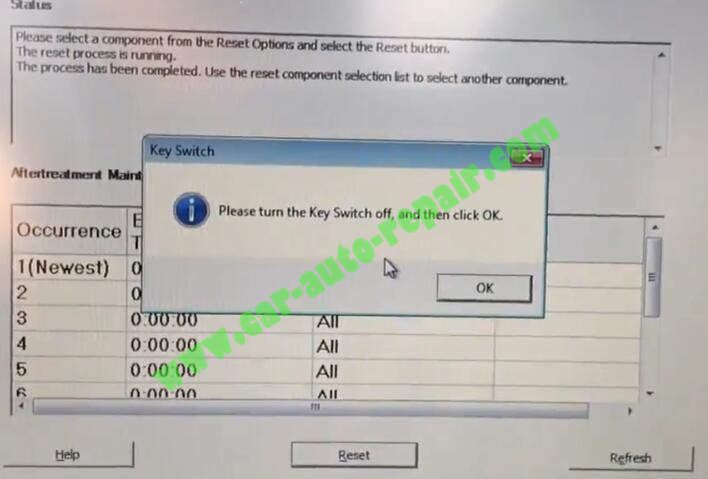
Please turn the Key Switch off,and then click “OK”

Cummins-Insite-Reset-Aftertreatment-System-after-DPF-Clean-4

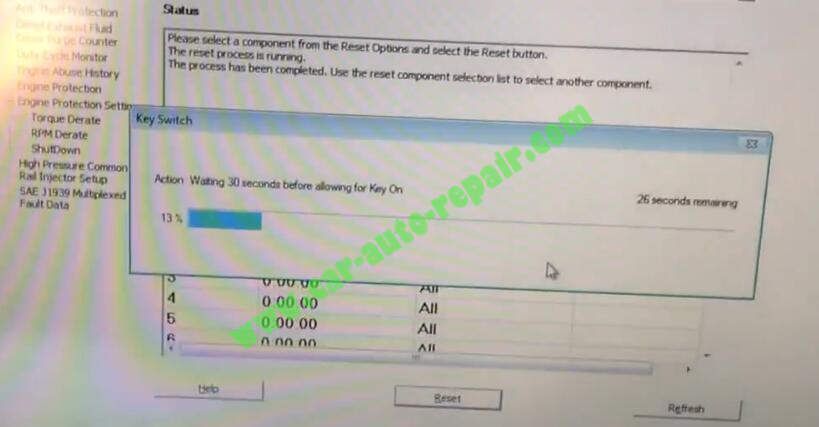
Waiting 30 seconds before allowing for Key On

Cummins-Insite-Reset-Aftertreatment-System-after-DPF-Clean-5

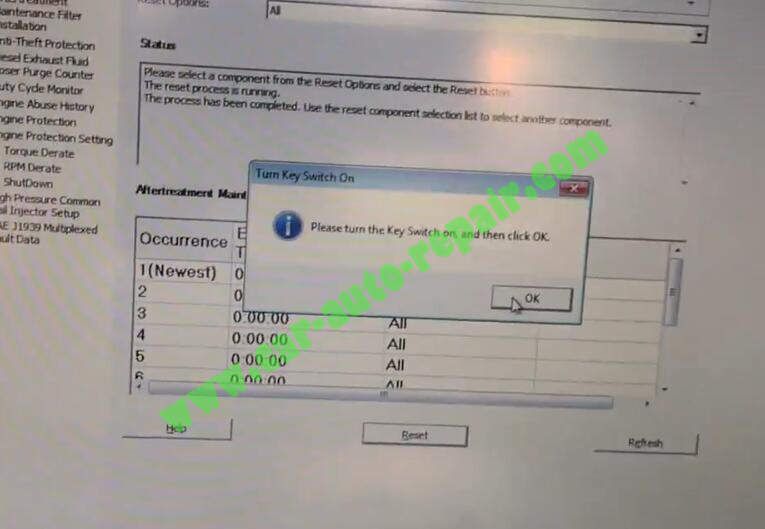
Please turn the Key Switch on,and then click “OK”

Cummins-Insite-Reset-Aftertreatment-System-after-DPF-Clean-6

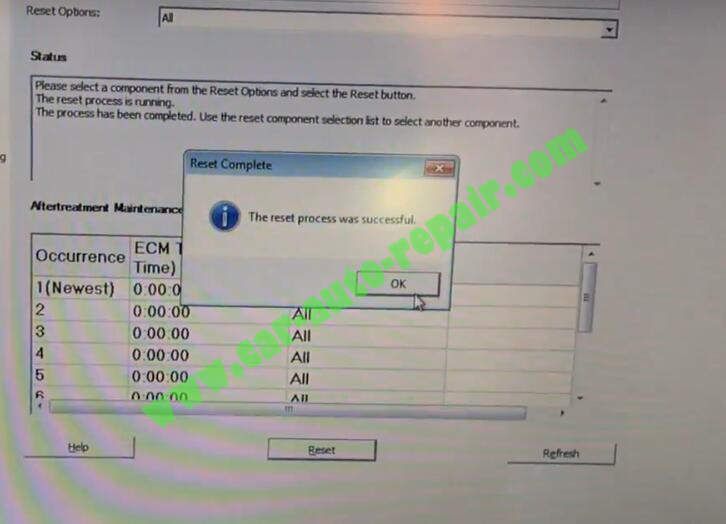
A process was successful

Cummins-Insite-Reset-Aftertreatment-System-after-DPF-Clean-7

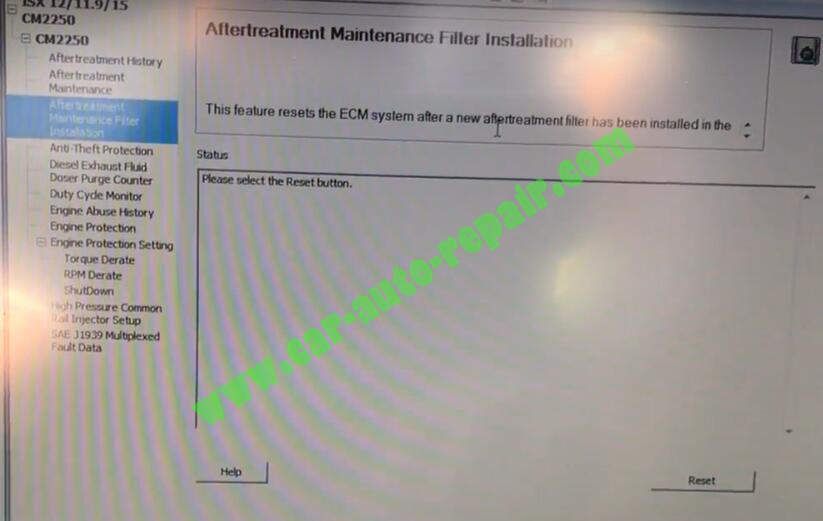
Now if you installed a new filter,we back to select “Aftertreatment Maintenance Filter Installation”

This feature resets the ECM system after a new aftertreatment filter has been installed.

Cummins-Insite-Reset-Aftertreatment-System-after-DPF-Clean-8

This article tech Supported by China OBD2,

Friday, June 26, 2020

US $199 | EUCLEIA Tabscan Wiscan T1 Smart Diagnostic Scanner Box

US $199 | EUCLEIA Tabscan Wiscan T1 Smart Diagnostic Scanner Box:

EUCLEIA Tabscan Wiscan T1 Smart Diagnostic Scanner Box

Tabscan T1 Smart Diagnostic Box

tabscan-t1-scanner-feature-1

Features:

1. Support diagnose report

Diagnose report will be generated automatically after you run the car scanning, report is easy to found from the app homepage. Results are friendly for users to understand, obvious to see car status.

  1. Support ISO protocol DTC reading and clearing
Friendly for users to use, even though you don’t know which protocols your car is, you can click scan on app, it will recogniz ...more details.

Now EUCLEIA Tabscan Wiscan T1 Smart Diagnostic Scanner Box only sell US $ 199, if you are interesteed in EUCLEIA Tabscan Wiscan T1 Smart Diagnostic Scanner Box, you can contact us by email support@chinaobd2.com

How to Solve BMW F01 F02 High Battery Discharge Warning

How to Solve BMW F01 F02 High Battery Discharge Warning

Chinaobd2 is a leading supplier of all kinds of Car Diagnostic Tool, Truck Diagnostic Tool, OBD2 Code Reader, Car Key Programmer,ECU Chip Tunning,etc. Currently, the top selling product including: VCDS VAG COM Cable, iProg+ Programmer, Scania VCI3

chinaobd2

For BMW F01 F02,after the vehicle is started, a Check Control message “High Battery Discharge Warning” is displayed in the Central Information Display (CID).

Various power supply and power management faults are stored, including the following:

CAS – “930769 Deactivation of terminal 15: upper startability limit reached”

CAS – “93076A Deactivation of terminal 15: upper startability limit reached, but deactivation preventer or legal load/consumer active”

CAS – “93076B Deactivation of terminal 30B: upper startability limit reached”

CAS–“93076C Deactivation of terminal 30B: upper startability limit reached, but deactivation preventer or legal load/consumer active”

JBE– “8020E8 Reset or deactivation of terminal 30F”

DME–“213901 Power management: reduction or deactivation of individual electrical loads/consumers”

CAUSE

The battery has become heavily discharged or is faulty. The following reasons can contribute to a prematurely failing battery:

Unfavorable driving profile – excessive short trips

Excessive terminal 30B after run – normal coolant pump or electric fan operation

Extremely cold temperatures

Vehicle faults – closed circuit draw, sleep mode preventer or frequent wakeups

PROCEDURE

1.Perform energy diagnosis and follow the recommendations of the test plan

2.Test the battery:

a.For vehicles up to September 2010, use the BMW battery tester.

b.For vehicles after September 2010, use the advance onboard diagnostics with ISTA.

3.If the results of the battery tests indicate that the battery needs replacement, continue to the next step. If the results of the battery test state to recharge the battery, ensure that you are charging the battery sufficiently before testing. This can take from 1 to 6 hours, depending on the size and discharge state of the battery. As a rule of thumb, if the battery was heavily discharged quickly, it should be charged quickly. If the battery was discharged over a long period, it should be recharged slowly. Refer to the operating manual that came with your battery charger on proper settings.

4.Replace the originally equipped 90 AH AGM battery with a 105 AH AGM battery. Refer to ISTA Repair Manual “61 00 … Notes for disconnecting and connecting battery.”

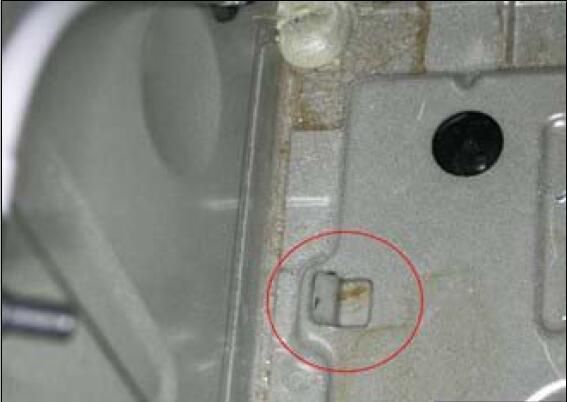
Important Note: Before mounting the battery in place, bend the metal tab down flush with the battery tray.

In some cases, a longer battery vent tube must also be installed in order to facilitate the larger battery.
How-to-Solve-BMW-F01-F02-High-Battery-Discharge-Warning-1

Before mounting the battery in place,make sure the battery vent hose is connected as indicated by the arrow.

The short end of the elbow should be connected to the battery to gain some extra clearance.

Record the matrix and supplier code from the label of the battery for entry in the next step.

The original battery hold-down clamp can be used with the new battery.

5.Register the new battery using ISTA. Select “Enter battery replacement:higher/lower capacity.”

6.Submit a PuMA case with the subject “B61 03 13 105 AH battery” to get a modified Vehicle Order (VO).

The modified VO will have A090 removed and A105 added.

7.Once the VO is downloaded from PuMA, start an ISTA/P programming session and import the new VO into the vehicle.

8.Select “Complete Coding” and program the entire vehicle with the current version of ISTA/P.

9.Note that ISTA/P will automatically reprogram and code all programmable control modules that do not have the latest software.

For information on programming and coding with ISTA/P, refer to CenterNet / Aftersales Portal / Service /Workshop Technology / Vehicle Programming.

10.Check the functionality of the vehicle and make sure the “Battery Discharge” CC message is not displayed.

Important note: All subsequent battery replacements on these vehicles will require installation of the 105 AH AGM Battery.

This article tech Supported by China OBD2,

How to Check & Clean DPF for Volvo EC480D Excavator

How to Check & Clean DPF for Volvo EC480D Excavator

Chinaobd2 is a leading supplier of all kinds of Car Diagnostic Tool, Truck Diagnostic Tool, OBD2 Code Reader, Car Key Programmer,ECU Chip Tunning,etc. Currently, the top selling product including: VCDS VAG COM Cable, iProg+ Programmer, Scania VCI3

chinaobd2

Here is a instruction manual on how to check and clean diesel particulate filter for Volvo EC480D excavator.If the flexible tube is to be reused, mark the tube by drawing a line between the clamps.More about Volvo heavy duty equipment service manual,please recommend you install Volvo PROSIS Parts+Service repair manual

Note:Always wear personal protective equipment, including filter mask, eye protection and appropriate gloves when working on the diesel particulate filter.

Procedures:

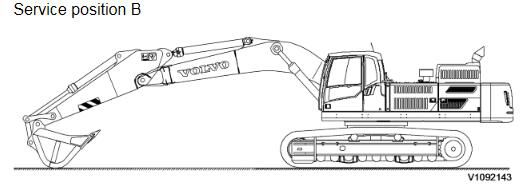
1.Park the machine in service position B

How-to-Check-Clean-DPF-for-Volvo-EC480D-Excavator-1

2.Remove the DPF hood.

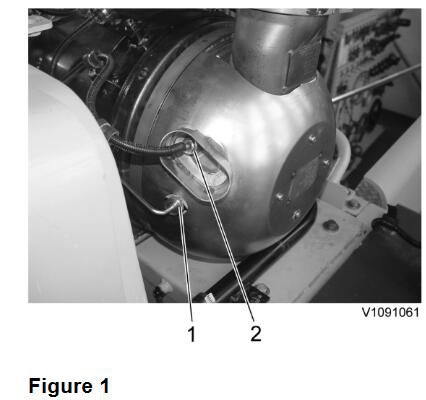
3.Disconnect the sensors.

How-to-Check-Clean-DPF-for-Volvo-EC480D-Excavator-2

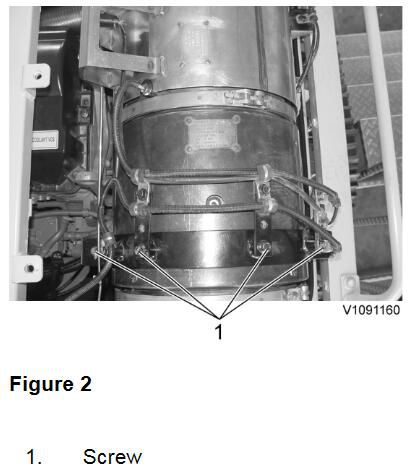
4.Remove screws and put aside the wire harness.

How-to-Check-Clean-DPF-for-Volvo-EC480D-Excavator-3

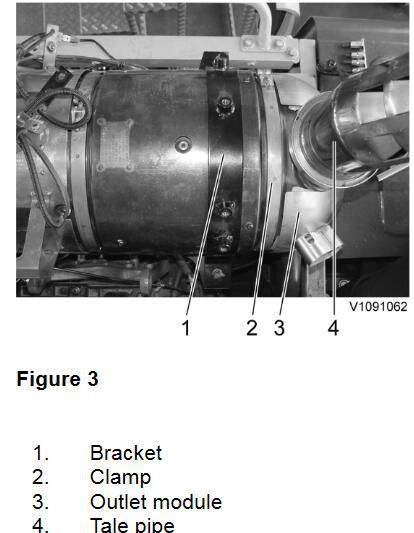
5.Remove the clamp and then remove the outlet module with a tale pipe from the DPF.

How-to-Check-Clean-DPF-for-Volvo-EC480D-Excavator-4

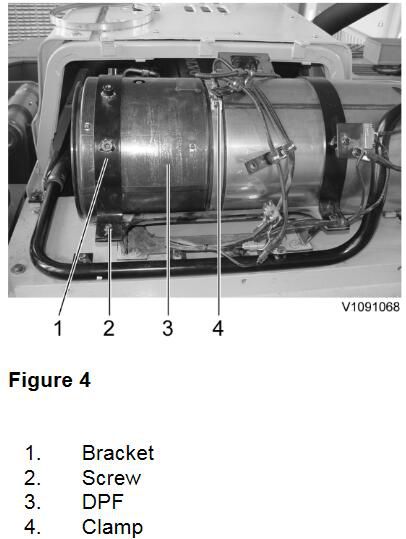
6.Remove the bracket and the clamp.

How-to-Check-Clean-DPF-for-Volvo-EC480D-Excavator-5

7.Remove the cover from the old filter and install it to a new filter.

8.Clean the filter and covers from remains of old gaskets and soot.

The filter must be cleaned by Volvo according to Volvo Core handling instructions.

9.Clean the contact surfaces of the new clamps, filter and catalyst with a cleaning agent. Place a new gasket on the flange of the catalyst

Install a new filter

Note:

Place the old filter in the plastic bag provided with the replacement filter. The filter must be packed airtight. Ensure that the filter is cold before placing it in the bag. Follow Volvo Core Handling instructions.

NOTE!

Use only new gaskets and V-clamps when installing.

NOTE!

Pay attention to the flow direction mark on the filter when installing.

10.Restore the machine to operating condition. See Exhaust pipe flexible tube, replacing for exhaust tube installing.

NOTE!

Clean the tools and discard cleaning cloths and the protective equipment.

11.To reset the soot load and ash load, run VCADS PRO operation “VCADS Pro, 25460-3, Reset soot and ash load”.

NOTE!

Keep the sensor wire harness routing when installing.

This article tech Supported by China OBD2,
How to Use XENTRY Advanced KeyGen to Activate Benz Xentry 2020

How to Use XENTRY Advanced KeyGen to Activate Benz Xentry 2020

Chinaobd2 is a leading supplier of all kinds of Car Diagnostic Tool, Truck Diagnostic Tool, OBD2 Code Reader, Car Key Programmer,ECU Chip Tunning,etc. Currently, the top selling product including: VCDS VAG COM Cable, iProg+ Programmer, Scania VCI3

chinaobd2

XENTRY Advanced KeyGen is activator for Mercedes Benz Xentry diagnostic software.It can activate 2018/2019/2020 version Xentry diagnostic software.

Preparations:

XENTRY Advanced KeyGen 1.1 Long Key Download

XENTRY Advanced KeyGen Activate Xentry Software Procedures:

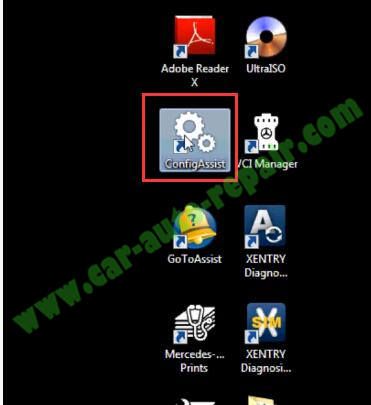
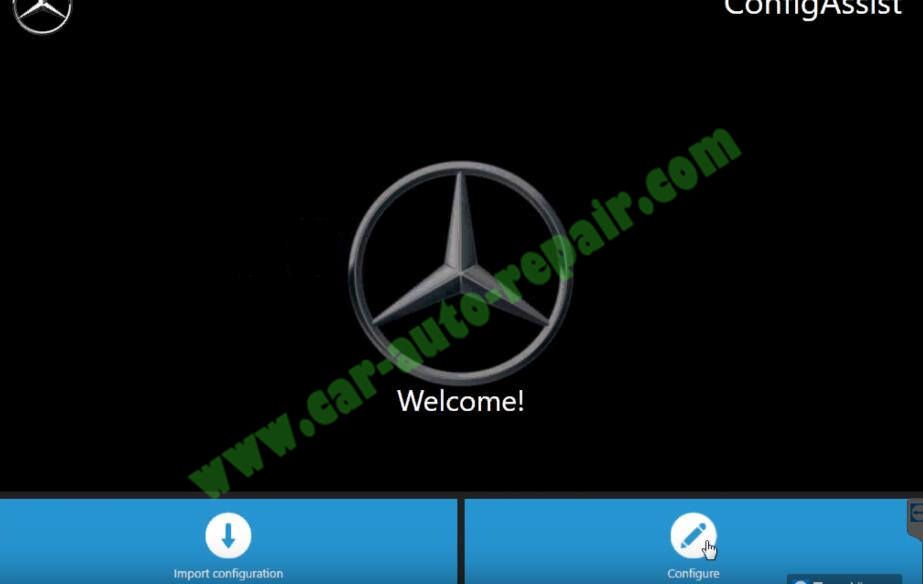
After you finish Xentry diagnostic software installation,run “Config Assist”

How-to-Use-XENTRY-Advanced-KeyGen-to-Activate-Benz-Xentry-2020-1

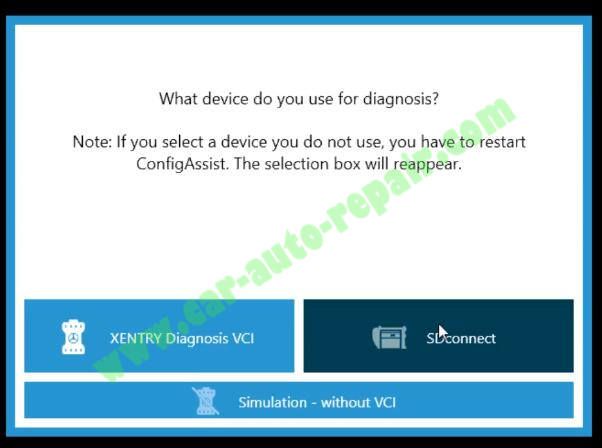
Click “SDconnect”

How-to-Use-XENTRY-Advanced-KeyGen-to-Activate-Benz-Xentry-2020-2

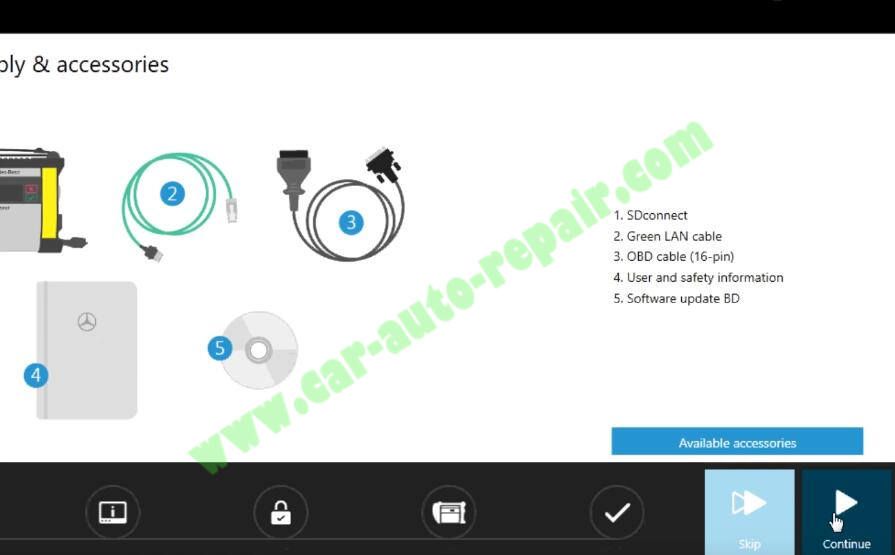
Click “Configure”–>”Continue”

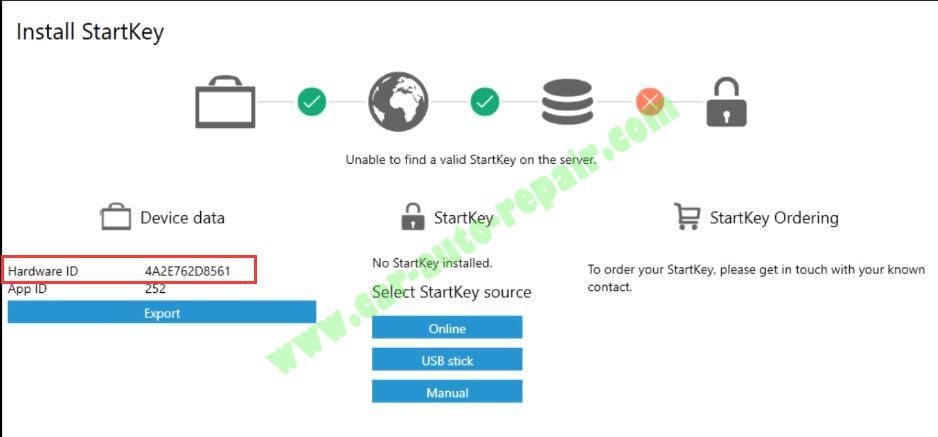
How-to-Use-XENTRY-Advanced-KeyGen-to-Activate-Benz-Xentry-2020-3 How-to-Use-XENTRY-Advanced-KeyGen-to-Activate-Benz-Xentry-2020-4

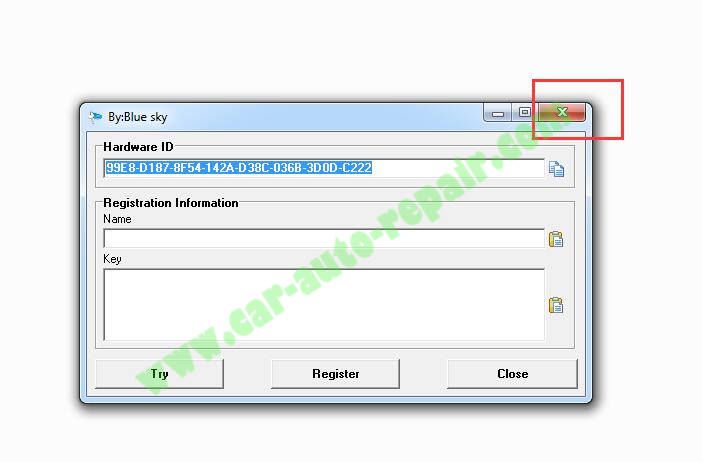
Now it will show you with Hardware ID:4A2E762D8561

How-to-Use-XENTRY-Advanced-KeyGen-to-Activate-Benz-Xentry-2020-5

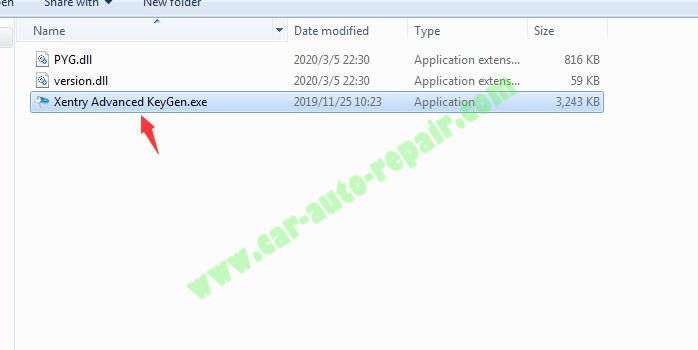
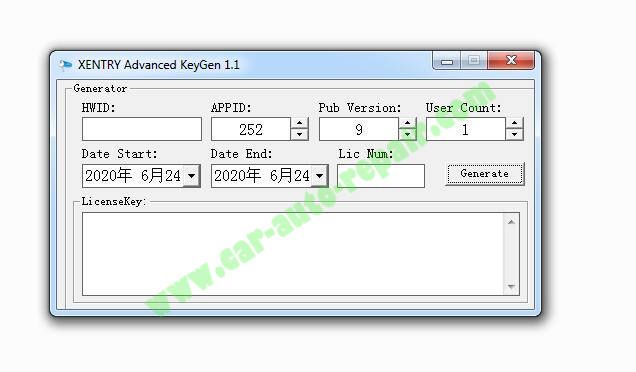
Run “Xentry Advanced KeyGen.exe”

How-to-Use-XENTRY-Advanced-KeyGen-to-Activate-Benz-Xentry-2020-6

Click “X” to close it.(Do not click “Close” button)

How-to-Use-XENTRY-Advanced-KeyGen-to-Activate-Benz-Xentry-2020-7

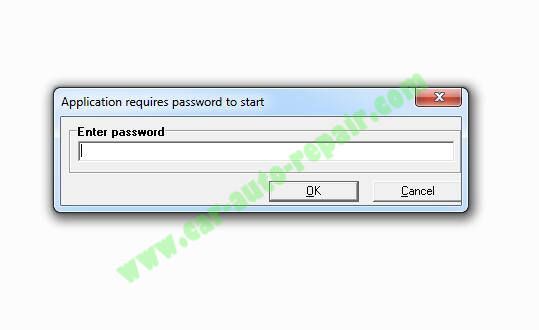
Click “X” to close

How-to-Use-XENTRY-Advanced-KeyGen-to-Activate-Benz-Xentry-2020-8

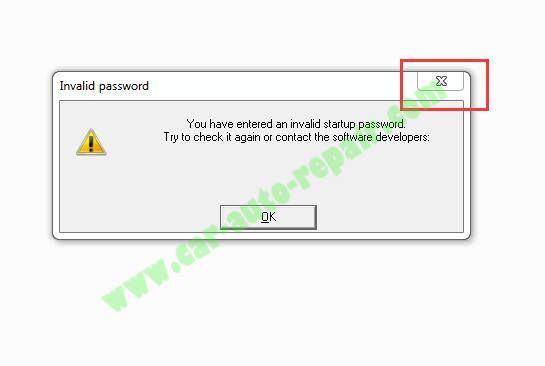
It will show you “Invalid password” message,just click “X” to close

How-to-Use-XENTRY-Advanced-KeyGen-to-Activate-Benz-Xentry-2020-9

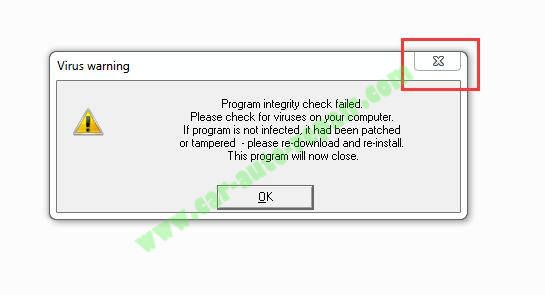
A “Virus warning” message pop-up,just ignore and click “X” close

How-to-Use-XENTRY-Advanced-KeyGen-to-Activate-Benz-Xentry-2020-10

Now XENTRY Advanced KeyGen run correctly

How-to-Use-XENTRY-Advanced-KeyGen-to-Activate-Benz-Xentry-2020-11

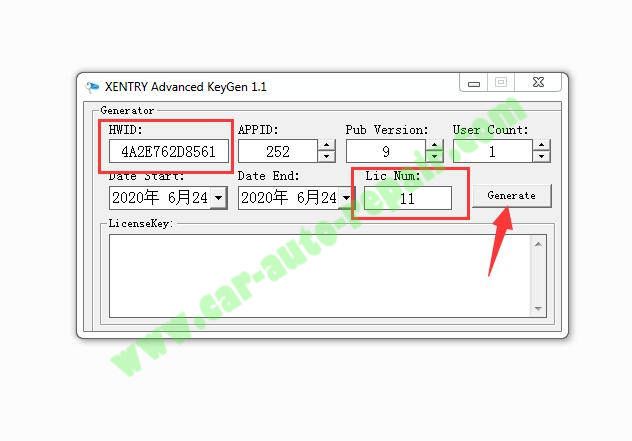
Input HWID that show above:4A2E762D8561

And input “11” at “Lic Num” section,select expire date for Xentry software.

Then click “Generate” button

How-to-Use-XENTRY-Advanced-KeyGen-to-Activate-Benz-Xentry-2020-12

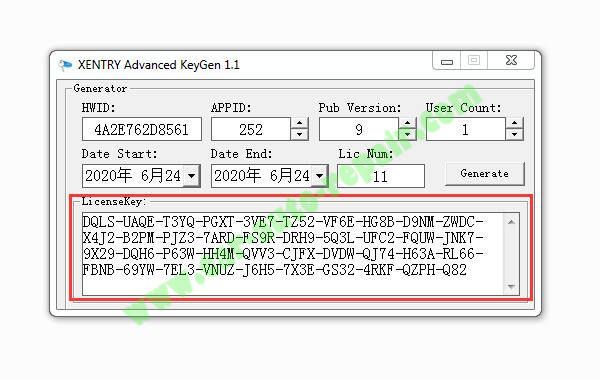
Now it will show you license key code as below show

How-to-Use-XENTRY-Advanced-KeyGen-to-Activate-Benz-Xentry-2020-13

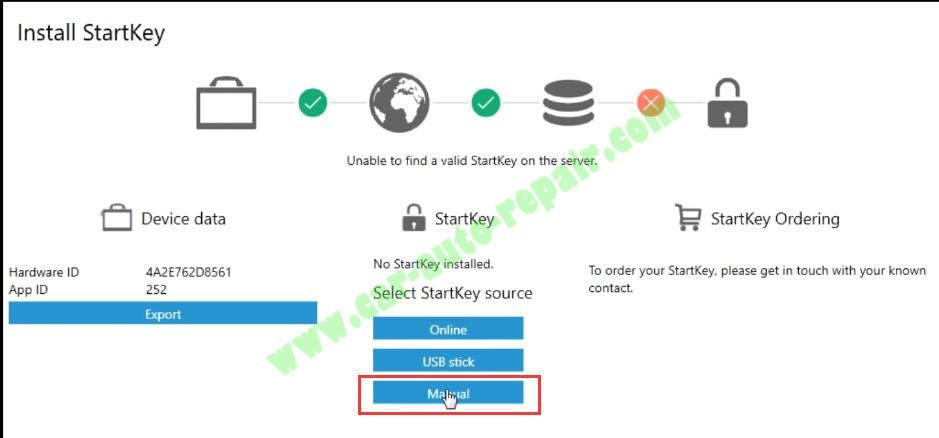
Back to Config Assist to click “Manual”

How-to-Use-XENTRY-Advanced-KeyGen-to-Activate-Benz-Xentry-2020-14

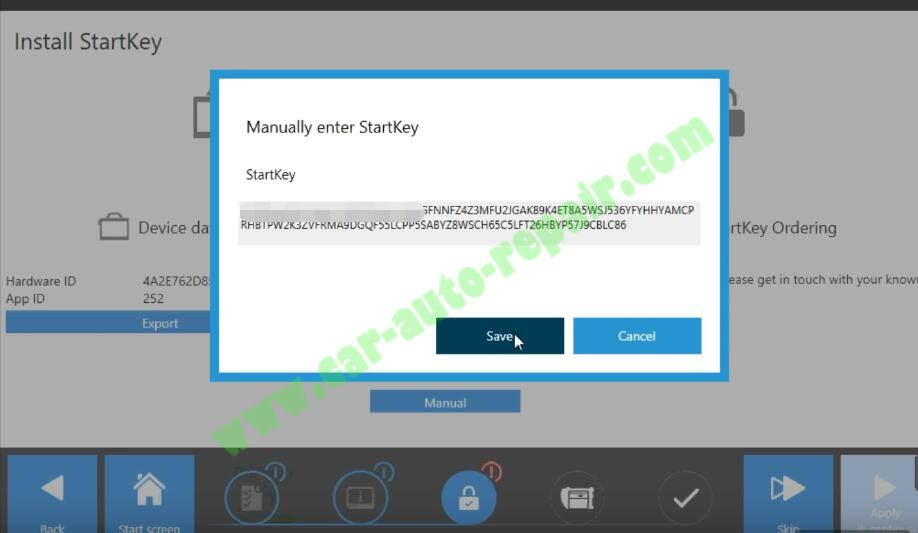
Paste the license key code in the StartKey section,and click “Save”

How-to-Use-XENTRY-Advanced-KeyGen-to-Activate-Benz-Xentry-2020-15

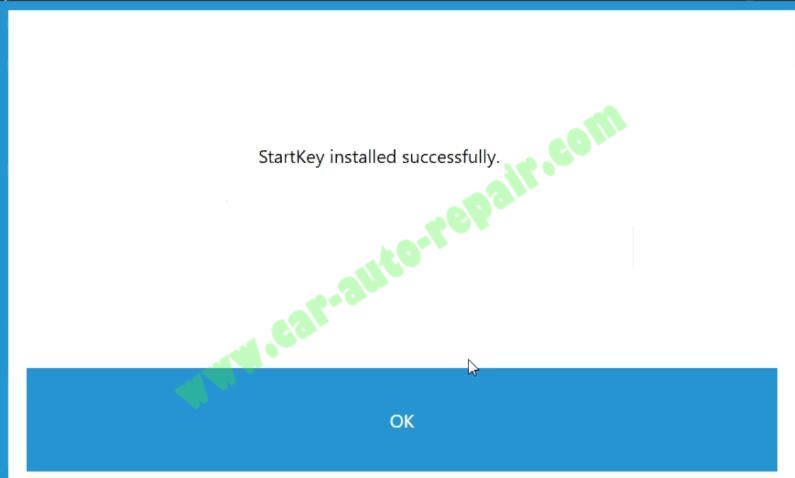
Now StartKey installed successfully

How-to-Use-XENTRY-Advanced-KeyGen-to-Activate-Benz-Xentry-2020-16

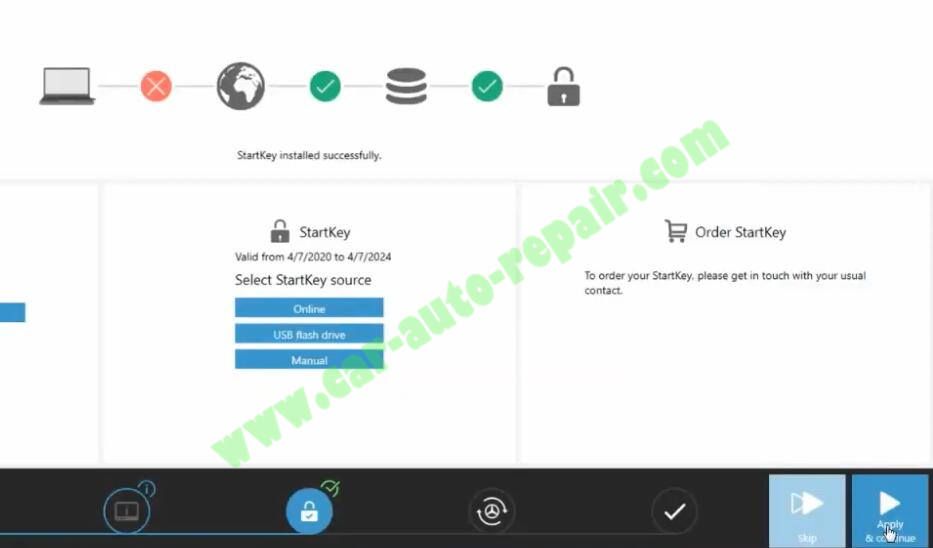
Click “Apply & Continue”

How-to-Use-XENTRY-Advanced-KeyGen-to-Activate-Benz-Xentry-2020-17

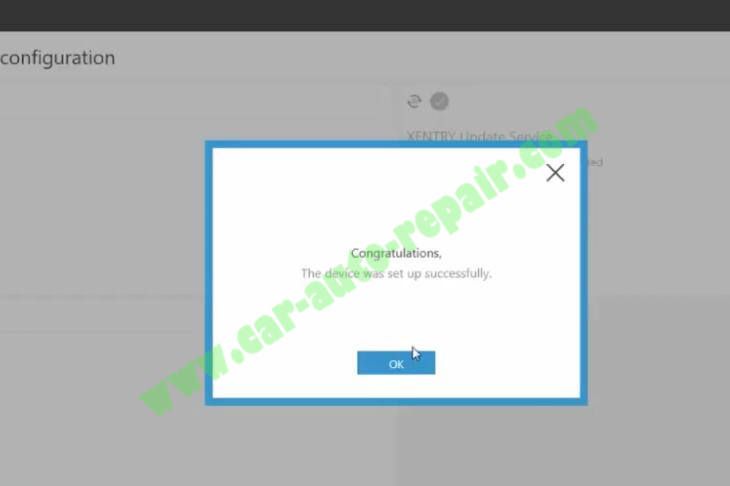
Than it will show you device was set up successfully

How-to-Use-XENTRY-Advanced-KeyGen-to-Activate-Benz-Xentry-2020-18

Activate complete!

This article tech Supported by China OBD2,
BOBCAT Service Library 2017 Service Repair Manual Download

BOBCAT Service Library 2017 Service Repair Manual Download

Chinaobd2 is a leading supplier of all kinds of Car Diagnostic Tool, Truck Diagnostic Tool, OBD2 Code Reader, Car Key Programmer,ECU Chip Tunning,etc. Currently, the top selling product including: VCDS VAG COM Cable, iProg+ Programmer, Scania VCI3

chinaobd2

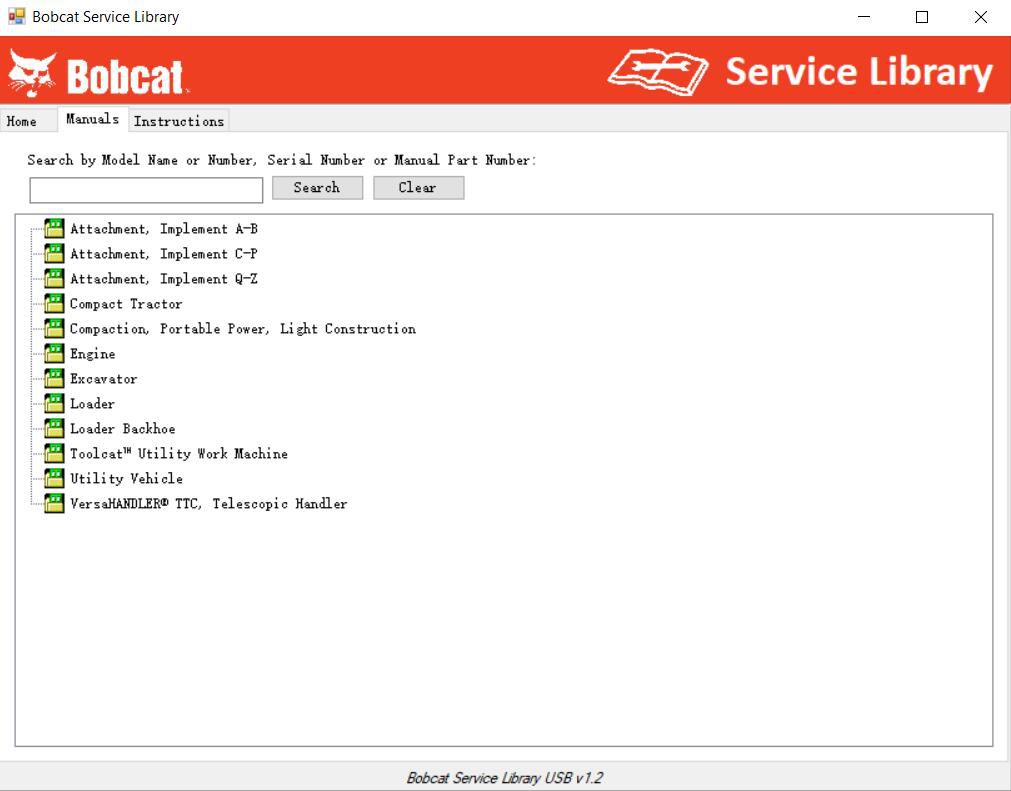
BOBCAT Service Library 2017 Service, Operator, Maintenance, Bulletines, etc.. Bobcat Service Library 2017 contains operator’s and maintenance manuals, service manuals, electrical diagrams, hydraulic diagrams and etc. All documentation in PDF files.

Bobcat Service Library 12.2017

BOBCAT Service Library 2017 Models List:

Attachments

Compact Tractor (CT)

Compaction. Portable Power. Light Construction (BCA, BCT, Ba, BC, BG, BR and etc)

Excavators (50s, 70s, 100s, 200s, 300s, 400s, E, ZX)

Loaders (A, AL, WL, MT, S, T)

Loaders Backhoe (B, BL)

Toolcat Utility Work Machine

Utility Vehicle

VersaHANDLER TTC. Telescopic Handler

BOBCAT Service Library 2017

Size: 22 Gb

Type: Software

Language: English

Date: 12.2017

BOBCAT Service Library 2017 Download

It is a paid service for installation,please buy it here:

Bobcat Service Library 12.2017

This article tech Supported by China OBD2,
BMW F18 OBD No Communication Power Supply Module Trouble Repair

BMW F18 OBD No Communication Power Supply Module Trouble Repair

Chinaobd2 is a leading supplier of all kinds of Car Diagnostic Tool, Truck Diagnostic Tool, OBD2 Code Reader, Car Key Programmer,ECU Chip Tunning,etc. Currently, the top selling product including: VCDS VAG COM Cable, iProg+ Programmer, Scania VCI3

chinaobd2

This post show you the repair experience on how to repair BMW F18 OBD without communication trouble repair.More repair cases about BMW,please check here:BMW Trouble Repair

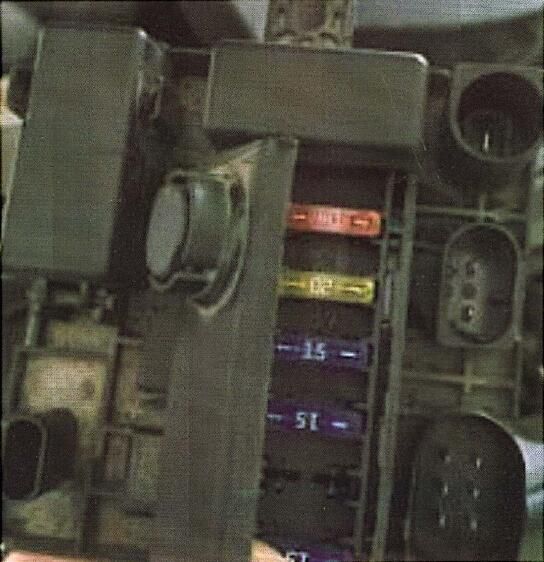
Technician find the OBD pin 16 without power supply,so check the diagram find the fault caused by the front right fuse box 10A fuse damaged.After new fuse replacement,technician try to start vehicle,but it still can not work.

At same time,after new fuse replacement the OBD can work normally,so technician use diagnostic tool to read out diagnostic trouble codes as below:

1B5202 – Terminal 15N_1: No voltage

1B5601 – Terminal 15N<02: no="" p="" voltage="">


93076A – Deactivation of terminal 15: upper startability limit reached, but deactivation preventer or legal load/consumer active”


According to the fault code guide, check that there is a black power distribution box module at the bottom right of the front windshield.


Open the this power supply control box,and then found the fuse is damaged,so replace a new one,after then try to start car,it will work normally.


BMW-F18-OBD-No-Communication-Power-Supply-Module-Trouble-Repair


This article tech Supported by China OBD2,
DTS Monaco Change Temperature Shown in Command Display

DTS Monaco Change Temperature Shown in Command Display

Chinaobd2 is a leading supplier of all kinds of Car Diagnostic Tool, Truck Diagnostic Tool, OBD2 Code Reader, Car Key Programmer,ECU Chip Tunning,etc. Currently, the top selling product including: VCDS VAG COM Cable, iProg+ Programmer, Scania VCI3

chinaobd2

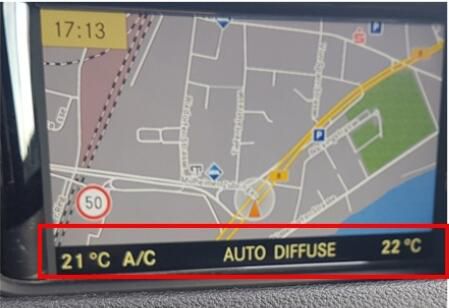
For old Mercedes Benz telematik version,the temperature is show by pop up window,many readers maybe do not like this display type.So here i want to share the easy way to change temperature shown in Command.And for more DTS Monaco case,pelase check it here: Benz DTS Monaco retrofit projects

DTS-Monaco-Change-Temperature-Shown-in-Command-Display-1

Preparations:

Benz DTS Monaco Software Free Download

How to Install Mercedes Benz DTS Monaco Software

Procedures:

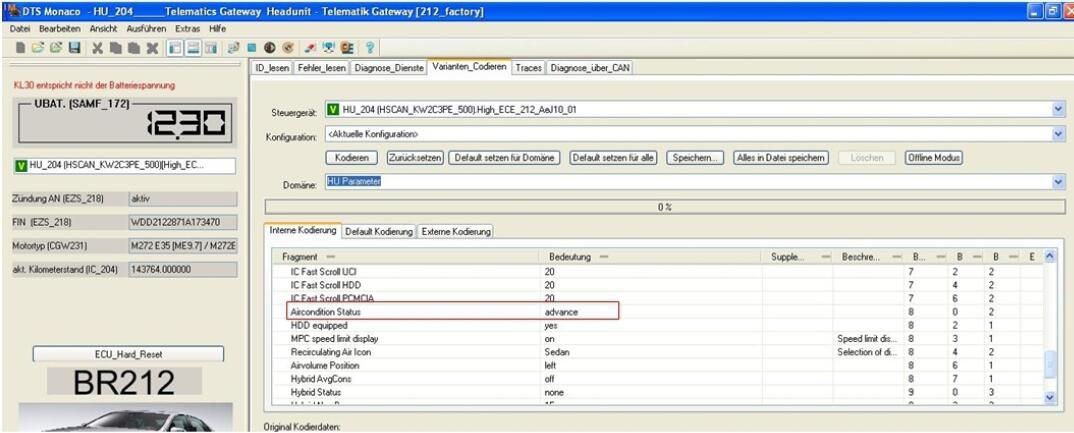
ECU:HU_204

Change Aircondition Status to “advance”,then save change.

DTS-Monaco-Change-Temperature-Shown-in-Command-Display-2

This article tech Supported by China OBD2,
How to Download and Install ATSG Transmission 2017

How to Download and Install ATSG Transmission 2017

Chinaobd2 is a leading supplier of all kinds of Car Diagnostic Tool, Truck Diagnostic Tool, OBD2 Code Reader, Car Key Programmer,ECU Chip Tunning,etc. Currently, the top selling product including: VCDS VAG COM Cable, iProg+ Programmer, Scania VCI3
chinaobd2

ATSG Transmission 2017 is a repair and service information for automatic transmission.Here car-auto-repair.com show you how to download and install it.

Preparations:

ATSG Transmission 2017 Download

Procedures:

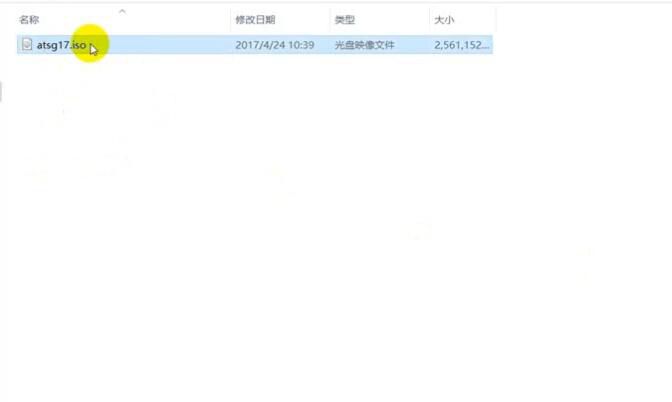
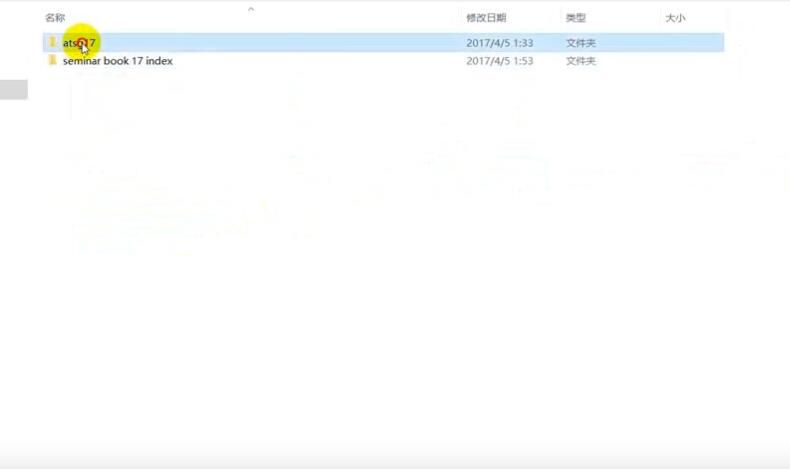
After downloading you will get below atsg17.iso file

How-to-Download-and-Install-ATSG-Transmission-2017-1

Double click it to open it.

Note:Before open it,your pc need install software that can load/run .iso image.(Daemon tool)

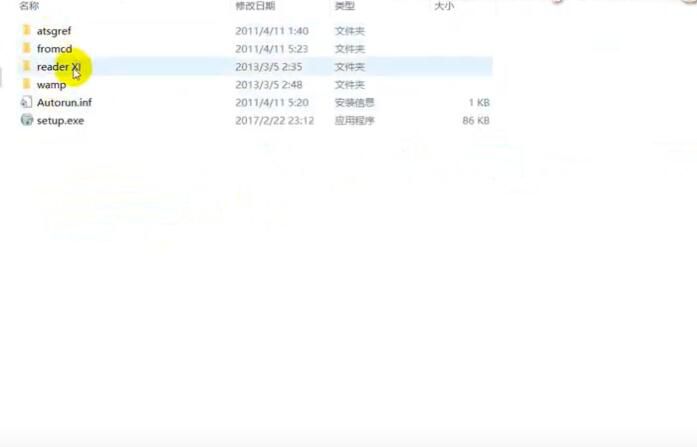
You will see two folder in the atsg17.iso file,open “atsg17” folder

How-to-Download-and-Install-ATSG-Transmission-2017-2

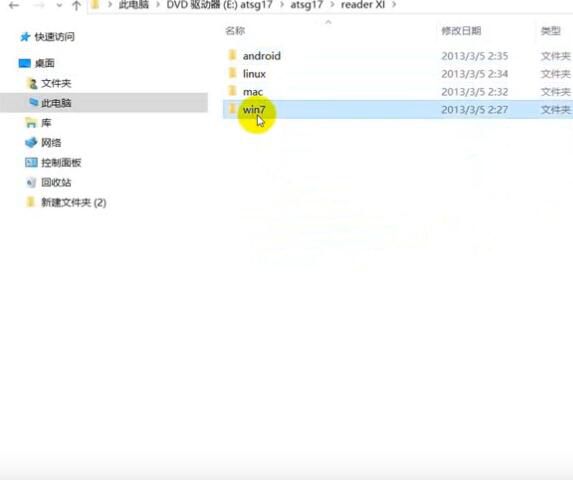
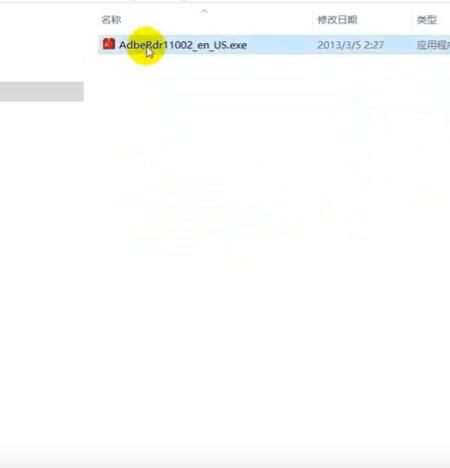
Open “rader XI”–>”win7” and install AdbeRdr 1002 PDF reader software

How-to-Download-and-Install-ATSG-Transmission-2017-3 How-to-Download-and-Install-ATSG-Transmission-2017-4 How-to-Download-and-Install-ATSG-Transmission-2017-5

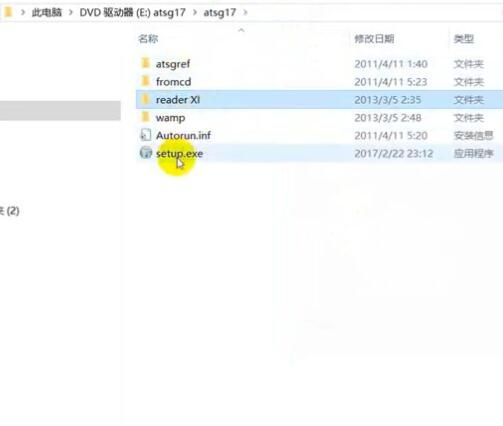
After PDF reader software installation finish,back to atsg17 folder to run “setup.exe”

How-to-Download-and-Install-ATSG-Transmission-2017-6

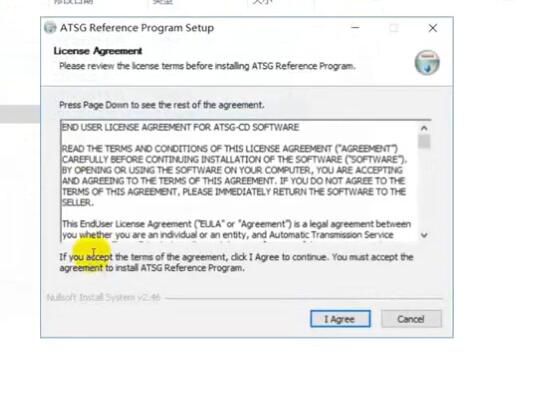
Click “I Agree”

How-to-Download-and-Install-ATSG-Transmission-2017-7

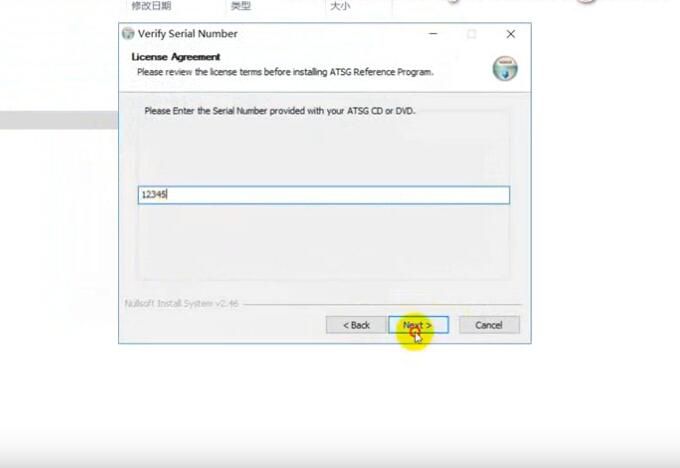
Please enter the Serial Number provided…,here type “12345” and click “Next” to continue

How-to-Download-and-Install-ATSG-Transmission-2017-8

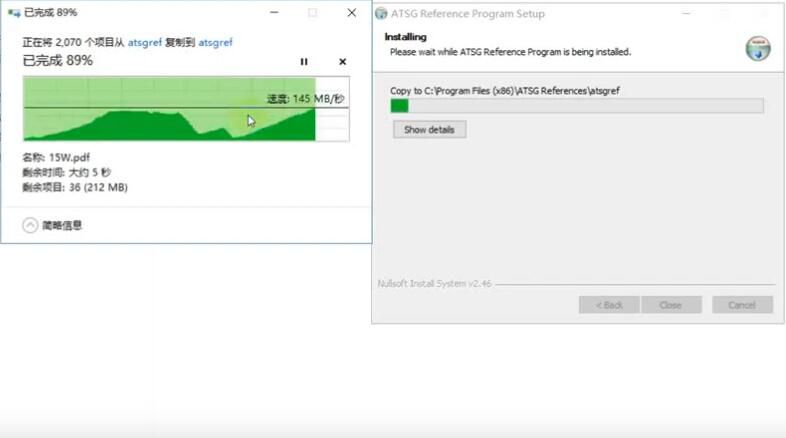
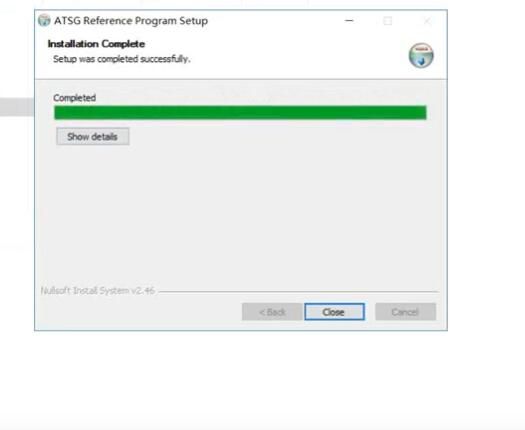
Wait for installation complete,then click “Close”

How-to-Download-and-Install-ATSG-Transmission-2017-9 How-to-Download-and-Install-ATSG-Transmission-2017-10

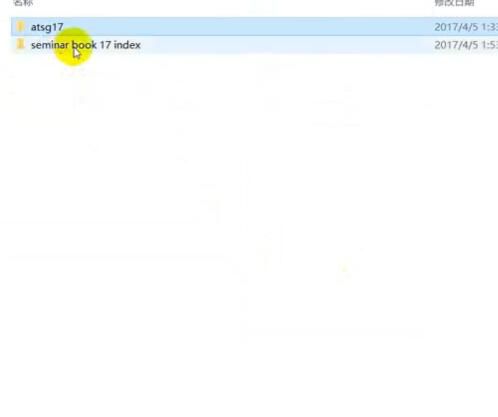
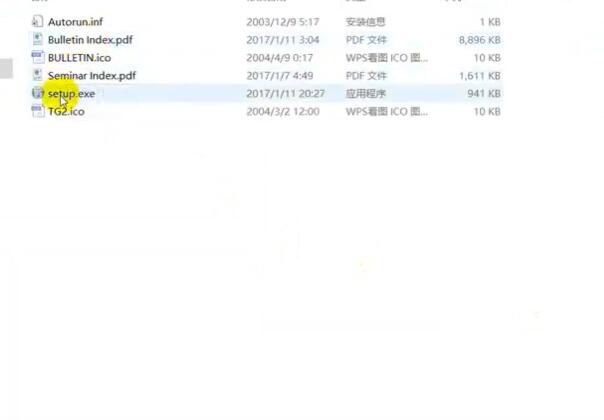
Back to open “seminar book 17 index” folder,then run ”setup.exe”

How-to-Download-and-Install-ATSG-Transmission-2017-11 How-to-Download-and-Install-ATSG-Transmission-2017-12

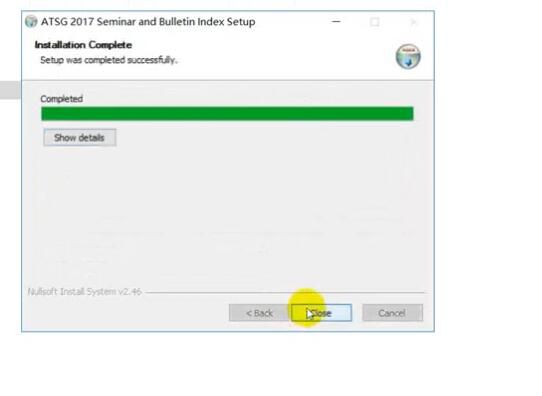
After installation finish,close it.

How-to-Download-and-Install-ATSG-Transmission-2017-13

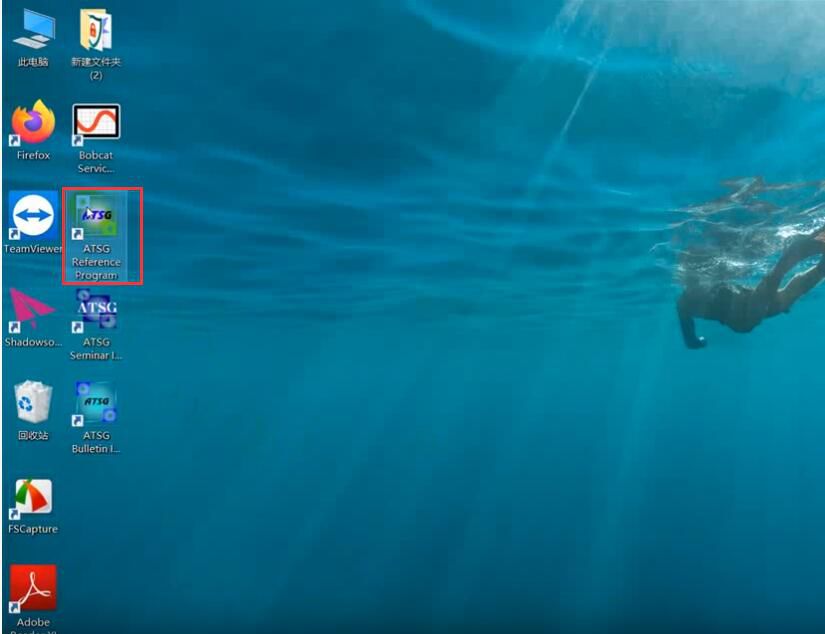
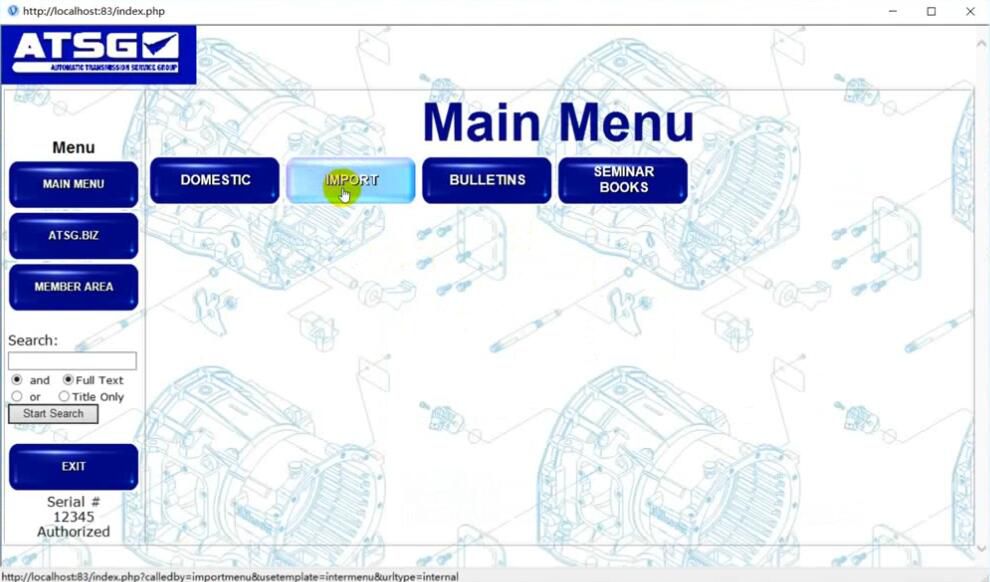
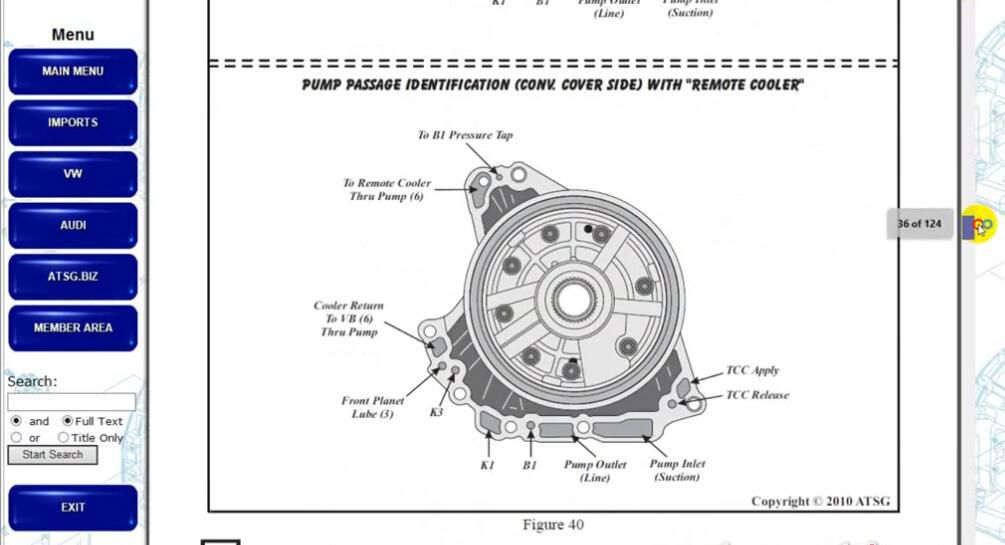
Now back to your desktop to run “ATSG Reference Program”

How-to-Download-and-Install-ATSG-Transmission-2017-14 How-to-Download-and-Install-ATSG-Transmission-2017-15 How-to-Download-and-Install-ATSG-Transmission-2017-16

Note:The running speed depend on your PC performance.

This article tech Supported by China OBD2,