Sunday, December 15, 2019

How to Use Scania Sops File Encryptor/Decryptor Convert EURO5 to EURO3

This mini post show the main procedures on how to use Scania SOPS to convert EURO5 to EURO3.

Preparations:
Scania Sops File Encryptor/Decryptor +XML Editor Free Download
In ECUBlock remove all values.
In FPCBlock change:
2471 to “A”
3458 to “Z”
3459 to “Z”
3476 to “Z”
3488 to “Z”
3636 to “Z”
3647 to “ZZ” (Level Sensor Polution Urea)
3719 to “ZZ”
1837 to “A”
In UFCBlock delete entire 376, 377, 378 blocks.
Replace UFC 384 block with the one below:
<UFC Name=”384″><UC Name=”340″><SCN Name=”475″/></UC></UFC>
In CableListBlock delete blocks: 1546040, 1865584, 1865588.
In VersionBlock add to AffectedEcus=” DAS1, ICL, OPC, RET, EMS, EBS5, EEC3, ELC3, TPM1″
if 3659 = “A” leave DAS1 in AffectedEcus
if 4280 = “B” leave EEC3 in AffectedEcus
if 3133 = “A” leave EBS5 in AffectedEcus
if 3135 = “A” leave ELC3 in AffectedEcus
if 3549 = “A” leave TPM1 in AffectedEcus
Other ICL, OPC, RET, EMS decide by situation if exist leave – if not remove.
Make VersionNumber of IMP file by one number higher than was in EXP file.
Related Software Download:
Newest Scania VCI3 Diagnostic Software Scania SDP3 V2.40 V2.39  Free Download

Latest Version Scania SOPS File Encryptor/Decryptor +XML Editor Download

What is Scania SOPS Encrypt/Decrypt?
Scania SOPS file name stands for–Scania Onboard Product Specification. It’s a file format that you can download (export) from Scania vehicle to your computer with Scania SDP3 software and Scania VCI2, Scania VCI3 diagnostic adapter. To modify these files you need to convert them to editable XML file, that’s why you need SOPS file encryptor/decryptor software.

Scania Sops File Encryptor/Decryptor Features:
1.Decrypt SOPS export file to XML format
2.Portability USB key included
3.Edit XML file with any XML editor
4.Download with SDP3 from truck SOPS export file
5.Encrypt XML file to SOPS import
6.Upload SOPS import file to truck with SDP3
7.Modify more than 300 parameters, like AdBlue, EGR, NOx Control
Scania Sops File Encryptor/Decryptor Support Languages:
English
Scania Sops File Encryptor/Decryptor O.S Requirements:
O.S : Windows XP; Windows Vista; Windows 7; Windows 8
CPU : Pentium/Athlon 800 MHz or higher
RAM : 256 MB of system memory
Hard Drive : 10 MB of available space
Scania Sops File Encryptor/Decryptor Download:
Note:Below Free Version Download Link have been removed by original owner,if you need click paid-version.
Free Version:SOPS XML Editor & Scania Sops File Encryptor/Decryptor
https://www.chinaobd2.com/upload/software/scania-sops-xml-editor.rar
Paid Version: Scania SOPS File Encryptor/Decryptor +XML Editor
Scania Sops File Encryptor/Decryptor Support :
Disable Adblue
Disable EGR
Disable Immobiliser
Disable VIN
Disable Nox Control
Disable Torque Reduction NOx Control
Disable Modify more than 300 other paramter
and so on
Scania SOPS File Parameter List :
ACC PartNo
ACS PartNo
Air pipe flow area
Air tank front
Air tank rear
Air tank volume
Air tank volume, extra
Alternator charge
APS PartNo
AWD
AxleDistance
BCS part no
BMS PartNo
COO PartNo
Coolant target temperature
Coolant temperature high level
DIS PartNo
DriveTyreCircum
EMS PartNo
EMS system partnumber
Engine rev
Exhaust Emission Ctrl part no
Fan, gear ratio
Fifth wheel position
FrontTyreCircum
Fuel volume
Fuel volume, left side
Fuel volume, right side
GMS PartNo
High idle speed offset
ICL PartNo
LAS PartNo
LDW partNo
Low idle speed
Max acceleration at 0 km/h
Max acceleration at 90 km/h
Oil level ind
Rear axle ratio
RET PartNo
Speed limit second
SpeedLimit
SpeedLimit EOL
TagBTyreCircum
TCO PartNo
Temp limit shut off
Temp limit torque reduction
Tyre rolling circumference
TPM partno
Transmission sensor constant
VIS PartNo
Wheel config final for EOL
0.8bar location
ABS_conf_r_axle
ABS/EBS System
AC press sensor
ACC
Acceleration limiter
ACS
ACS environment
ACS Gateway
Adaptive cruise
AdBlue tank
AddBlue
ADR Designation
AHA
AHW
Air conditioning
Air filter clogged indicator.
Air intake
Air processing system environment
Air spring cont
Air susp.lo.pa
Air tank front
Air tank rear
Air tank volume, extra
Airbag in steering wheel
All wheel drive system
AltPreChLev
An engine protection function
Anti theft remote
APS
APS cold mode parameter
APS pressure level
AUS
Autom. hill hold
Automatic climate control system environment
Auxiliary heating
AWD
Axle load disp
Backväxelilägg.
BCS
BCS Environment
Blackout lighting
Bluetooth
BMS
Bodybuilder information in ICL
Brake category
Bus stop brake
Bus stop brake activation speed
Bus stop emergency brake
BWS
C-lock + alarm
Cab floor type
Cab length
Cab special adaptation
Cab type
CAN controlled starter motor
CC Display
Chassis adaptation
Chassis class
Chassis front end width
Climate system control
Clutch overload warning
Clutch System
Clutch slip
Clutch wear measuring
Clutch wear protection
Collision warning
Communicator
Compressor extra
Compressor man
Compressor ratio
Configuration
Controlled acceleration
ConverterSystem
COO
COO environment
Cool req prot
Coolant pump flow
Coolant target temperature
Coolant temperature high level
Cooling package
Country code according to ISO
Crankcase vent.
Cruise Control Protocol
Cruise control switches
CSS
CTS
Daytime running light
Daytime running light function
DAS system
Defr fan rpm
Diff. Lock
Differential lock control
Direction indicator activation
Direction indicator sound
DIS environment
DIS position
DIS system
Downhill speed controle switch
DPF active regeneration control.
DPF aktiv regenerering
DPF exh gas temperature sensor
DPF exhaust flow type
DPF particulate filter
Droop setting all speed engine
Ecocruise Generation
Ecocruise max speed
EGR System
Emergency stop
Emission level
EMS environment
Endpos.protect
Eng stroke vol
Engine location on buses
Engine management system
Engine PTO-ED Control
Engine reaction to high coolant temp.
Engine reaction with low coolant level
Engine reactionto defect accelerator pedal
Engine rev
Engine stop request
Engine type
ESP
Exhaust brake
Exhaust brake control
Exhaust Emission Control
Ext L storage c
External storage compartment
Extra AC
Fan control
Fan hub solenoid frequency
Fan, driving
Fan, gear ratio
Fast air regeneration
FMS interactor
FMS prep
FMS System
Fog Lamp Front
Front wh drive
Fuel
Fuel level sen
Fuel volume
Gear box type
Gear shift ctrl
Gear shift prog ZF aut
Gearbox management system
Gearbox management system environment
Gearbox max input torque/ratio
Gearbox PTO-EK Control
Gearbox_PTO_EG2_Control
GMS
Guard/sensor coolant level
Headlamp cleaning
Headlamp type
HeadLampWarning
High (APS) air consumption mode
High charge temp reaction
High idle speed offset
High-mounted headlamp control
Hybrid management system
How the engine shall react due to low oil pressure
How the engine shall react on the accelerator pedal
HVAC ov.fl valv
HVAC system
HVAC water valv
ICL
ICL environment
If an accelerator pedal without safety switch is used or not
Immobiliser
Indoor temperature display
Instrument cluster
Instrument panel
Interactive driver training
Kick down sign.
Kickdown
LAS
LDW
LDW environment
LDW signal type
Level stand-by
Load sens valve
Load sensing
Load transf. ma
Load transfer
Locking and alarm system environment
Max acceleration at 0 km/h
MILTelltale
Neutral Position Sensor
NOx Control
NOx sensor type downstream
NOx sensor type upstream
NOx sensor upstream
Number of alternatiors
ODB temp
Oil cooling for gearbox
Oil level sens
Oil level sensor monitoring
Oil temperature sensor gearbox.
OPC shift brake
Opticruise
Outdoor temperature sensor 2nd
Overdrive
P-brake warning
Parked vehicle guide light
Particle trap
Passenger door position
Power shift program
Preparation for wheel config
Product class
PTO – GMS communication version.
PTO AWD prep
PTO ED prep
PTO EG3 Control
PTO split prep
PTO total amount
PTO-EG Conf
Radio
Range/Split solenoid ctr type
Rear axle
Rear axle gear ratio
Rear wheel steering manag.syst
Refrigerant EGR cooler
Refrigerant o.c
RET
Retarder
Retarder control device
Retarder System
Retarder system environment
Reverse speed
Roof hatch
Roof height
Safety belt reminder
SCR exh gas temperature sensor
SCR heating system
SCR red el hose heater output1
SCR red el hose heater output2
SCR red el hose heater output3
SCR red el hose heater output4
Security central locking
Selective Catalytic Reduction
Service indicat
SMA
SMS
Speed lim.third
Speed sign ampl
SpeedLimit EOL
Steering system
Steering wheel position
Steering wheel switches gen.
Tachograph
Tachograph system
Tag axle, behind
TCO environment
Type of order
Torque converter
Torque converter
Torque reduction NOx control
Tot .rais.lower.
TPM
TPM 1st axle
TPM 4th axle
TPM envrionment
Trailer brake coupling
Trailer hand control valve
Transfer gear case
Transmission sensor constant
Variable idling
Variable volt
VIS
VIS environment
Wheel assy rear
Wheel brake
Wheel config. EOL
Wheel mo tag ax
White smoke limiter
WIFS Water in fuel sensor
https://pt.slideshare.net/thomastan76/latest-version-scania-sdp3-v2413-scania-vci3-vci3-scanner-wifi-diagnostic-tool-for-scania

Saturday, December 14, 2019

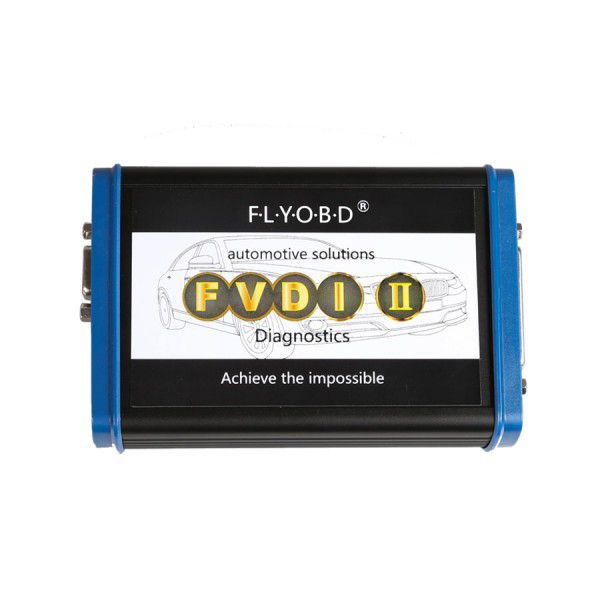
US $1479 | Best Quality 2018 Unlock Version FVDI2 Full Version Commander with 28 Softwares No Time Limitation

Best Quality 2018 Unlock Version FVDI2 Full Version Commander with 28 Softwares No Time Limitation

FVDI 2 Full Version Commander includes all software+Free FLY OBD Terminator full software + All J2534 DrewTech Software. VAG BCM2 ALL KEYS LOST FOR AUDI A6/A7/A8/TOUAREG from 2009 to NOW is free to FVDI2 Full customers, and support update online.

Wholesale Top quality iProg+ Programmer BENZ ECOM DoIP Diagnostic and Programming Tool, VCM II for LandRover & Jaguar Diagnose and Programming Tool, VAS 5054A, GM Tech2, Scania VCI3, NEXIQ 2 USB Link, SBB VAG Pro, J2534 Programmer, VCDS VAG COM Cable. The VAS 5054A is a universal diagnostic interface for the vehicles of the Volkswagen Group and all OBD vehicle systems from other manufacturers. more products from chinaobd2, click here, download pdf

Best Quality 2018 Unlock Version FVDI2 Full Version Commander with 28 Softwares No Time Limitation

2018 Unlock Version FVDI2 Full Version Commander with 28 Softwares No Time Limitation+FLY OBD Terminator + All J2534 DrewTech Softwares

Notice: FVDI2 can't support J1850 protocol.


When obtaining authorization, operate by following the next steps:


Step 1. Connect the Softdog to FVDI2. Do not connect Softdog to the computer, otherwise the Softdog green light or red light will on, and result in authorization fail.


Step 2. Use USB cable to connect FVDI2 and the computer, but do not connect FVDI2 to the car. Wait until FVDI2 green light on and Softdog red light on, you succeed getting authorization. If FVDI2 red light on or Softdog green light on, repeat the above steps.


After get authorization for FVDI2, follow the next steps to connect.


Step 1. Connect the Softdog to FVDI2 (Note: do not connect Softdog to the computer).

Step 2. Use USB cable to connect FVDI2 and the computer. Wait until FVDI2 green light on and Softdog red light on, connect Softdog USB cable to the computer. During the procedure, the Softdog red light keeps on (Note: do not connect FVDI2 to the car)

Step 3. Till the above 2 steps work well, connect FVDI2 to the car.

Currently FVDI2 is Distributed with Following Diagnostic Software:
1. Abritus AVDI for VW, Audi, Seat, Skoda, V24.0;

2. Abritus AVDI for Porsche, V4.1;

3. Abritus AVDI for Mercedes/Smart/Maybach, V7.0;

4. Abritus AVDI for OPEL/VAUXHALL, V6.5;

5. Abritus AVDI for BMW, V10.4

6. Abritus AVDI for Peugeot/Citroen, V6.7;

7. Abritus AVDI for Fiat/Alfa/Lancia, V5.7;

8. Abritus AVDI for Renault, V6.3;

9. Abritus AVDI for Toyota/Lexus, V9.0;

10. Abritus AVDI for Hyundai/KIA, V2.1;

11. Abritus AVDI for Nissan/Infiniti, V4.3;

12. Abritus AVDI for TAG Key Tool, V6.2;

13. Abritus AVDI for Ford, V4.9;

14. Abritus AVDI for Volvo, V4.3;

15. Abritus AVDI for Chrysler, Dodge and Jeep, V3.3;

16. Abritus AVDI for Mitsubishi, V2.1;

17. Abritus AVDI for DAF, V1.0;

18. Abritus AVDI for Bikes, Snowmobiles and Water scooters, V1.2;

Note: Abritus AVDI softwares 18 items (from 1 to 18);


19. FLY OBD Terminator FULl ALL Functions, V4.0 ( FLY OBD Terminator Link... );


20. J2534 Software for Honda HDS, V3.102;

21. J2534 Software for Toyota TIS, V12.00.124;

22. J2534 Software for Ford VCM IDS, V106.1;

23. J2534 Software for Mazda VCM IDS, V104;

24. J2534 Software for Jaguar JLR SDD, V149;

25. J2534 Software for Landrover JLR SDD, V149;

Note: J2534 Softwares 6 items (from 20 to 25);


26. Plugin VVDI2 VAG, VVDI2 V1.2.2 and VVDI2 V4.2.1;

27. Plugin VVDI2 BMW, VVDI2 V1.2.2 and VVDI2 V4.2.1;

28. Plugin VVDI2 Transponder Programmer, VVDI2 V1.2.2 and VVDI2 V4.2.1;

Note: Plugin VVDI2 Softwares 3 items (from 26 to 28);


Go to Buy: Best Quality 2018 Unlock Version FVDI2 Full Version Commander with 28 Softwares No Time Limitation

https://www.edocr.com/v/lzor2xn1/chinaobd2/Scania-VCI3-with-SDP3-latest-version-6102

https://www.edocr.com/user/chinaobd2

Friday, December 13, 2019

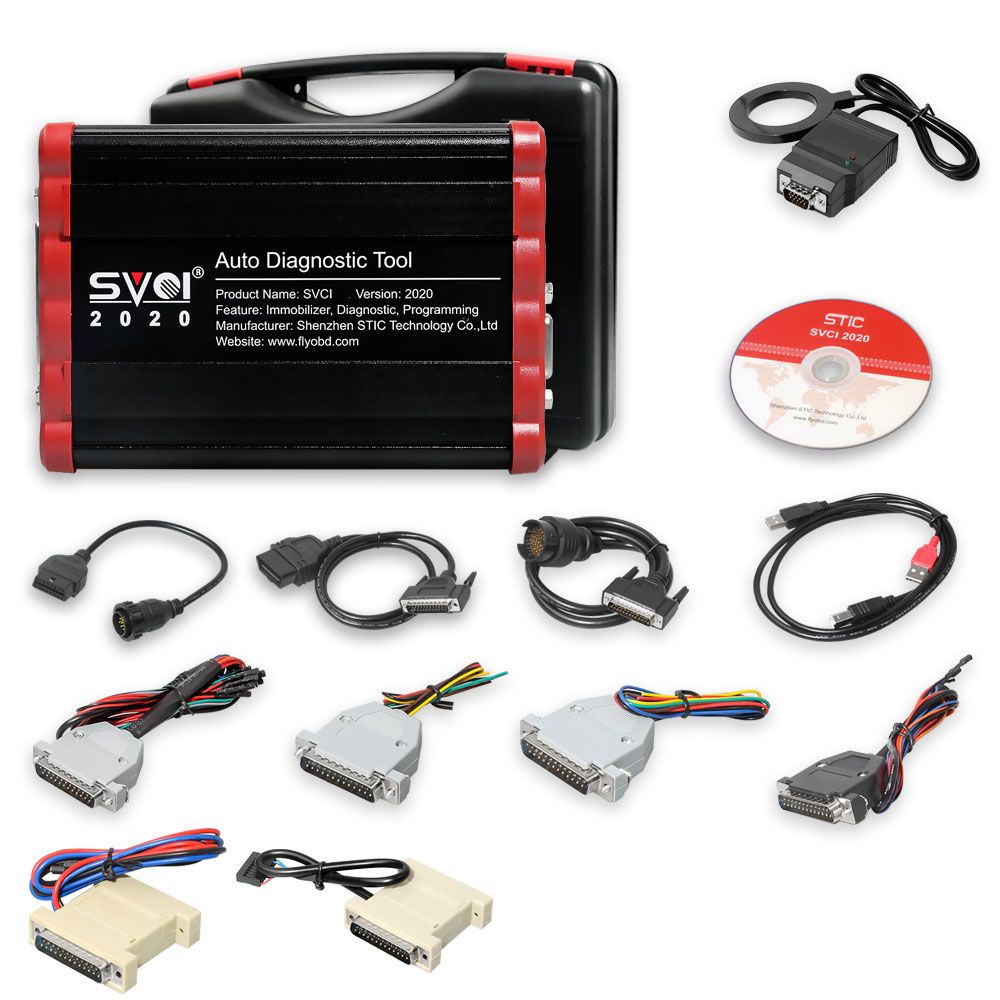
US $299 | SVCI V2020 FVDI Full Version IMMO Diagnostic Programming Tool with 21 Latest Software

SVCI V2020 FVDI Full Version IMMO Diagnostic Programming Tool with 21 Latest Software

SVDI FVDI support basic functions such as fault diagnosis, clearing of fault codes, reading of data streams, and motion testing to new models of 2019.Currently, special functions are not supported. Among them, Suzuki and Daihatsu contain special functions.

Wholesale Top quality iProg+ Programmer BENZ ECOM DoIP Diagnostic and Programming Tool, VCM II for LandRover & Jaguar Diagnose and Programming Tool, VAS 5054A, GM Tech2, Scania VCI3, NEXIQ 2 USB Link, SBB VAG Pro, J2534 Programmer, VCDS VAG COM Cable. The VAS 5054A is a universal diagnostic interface for the vehicles of the Volkswagen Group and all OBD vehicle systems from other manufacturers. more products from chinaobd2, click here, download pdf

SVCI V2020 FVDI Full Version IMMO Diagnostic Programming Tool with 21 Latest Software

SVCI V2020 FVDI Full Version IMMO Diagnostic Programming Tool with 21 Latest Software

The difference between SVCI 2020 and SVCI 2018


SVCI FVDI V2020 Hardware Difference:


1.SVCI 2020 has fewer button batteries than SVCI 2018.

2.SVCI 2020 does not need to be activated, it will not lock the machine, and the serial number will not be lost.


SVCI FVDI V2020 Software Difference:

SVCI 2020 has 19 more software than SVCI 2018:

1.ABRITES Commander for VAG V37.0,

2.ABRITES Commander for BMW V10.5,

3.ABRITES Commander for Mercedes V10.4

4.ABRITES Commander for Bikes V2.0

5.ABRITES Commander for Chrysler V3.4

6.ABRITES Commander for Daihatsu V1.4

7.ABRITES Commander for FIAT V7.6

8.ABRITES Commander for Ford V7.7

9.ABRITES Commander for Hyundai V4.4

10.ABRITES Commander for JLR V2.6

11.ABRITES Commander for Mitsubishi V3.7

12.ABRITES Commander for Nissan V5.7

13.ABRITES Commander for OPEL V7.5

14.ABRITES Commander for Porsche V7.1

15.ABRITES Commander for PSA V6.3

16.ABRITES Commander for Renault V7.4

17.ABRITES Commander for Suzuki V1.2

18.ABRITES Commander for Toyota V11.4

19.ABRITES Commander for Volvo V6.2


These 19 softwares are all the latest software.

They support basic functions such as fault diagnosis, clearing of fault codes, reading of data streams, and motion testing to new models of 2019.

Currently, special functions are not supported. Among them, Suzuki and Daihatsu contain special functions.


How to Install SVCI 2020 Software:


There is only one executable file on the CD-ROM.

Double-click "AbritesCommanderSetup.exe" to start the installation.

Do not plug the USB into the computer during the installation.

After the installation is complete, connect the USB to the computer.


How to use SVCI 2020 Quick Start Software


SVCI 2020 Quick Launch Software has 42 shortcut icons. Left-click the icon to launch the corresponding software.

Compared to the quick launch of SVCI 2018, the activation dialog is not displayed after clicking the icon.

The last icon is the firmware upgrade program. Click it to start the firmware upgrade program.

You must be online to download the latest firmware program. After downloading, click Update to update the firmware program.

After clicking the icon, the dongle program icon will appear in the tray at the bottom right corner of the computer.

The dongle program cannot be exited while the software is running.

SVCI(FVDI) Hardware Comparison
FVDI 2014 FVDI 2015 SVCI 2018 SVCI 2020
support softwares AVDI 18 software AVDI 18 software AVDI 18 software+

VVDI2 software
AVDI 21 software+

VVDI2 software
Software version One version two version two version three version
Support the years of

Vehicle manufacture
before

2014MY
before

2015MY
before

2015MY
before

2019MY
connection network NO YES YES NO
Online activate NO YES YES NO
useful life forever 5 years 5 years forever
stability Strong general general Strong
needs repaired No may be may be No
SVCI(FVDI) Software Comparison
FVDI 2014 FVDI 2015 SVCI 2018 SVCI 2020
Jaguar/

Land Rover
x x x v2.6
Suzuki x x x v1.2
Daihatsu x x x v1.4
VVDI x x v1.2.2 v1.2.2
VW/Audi/

Skoda/Seat
v18.0 v18.0

v24.0
v18.0

v24.0
v18.0

v24.0

v37.0
BMW/Mini v10.4 v10.4 v10.4 v10.4

v10.5
Mercedes_Benz/

Smart/MAYBACH
v5.11 v5.11

v7.0
v5.11

v7.0
v5.11

v7.0

v10.8
Renault/Dacia v5.2 v5.2

v6.3
v5.2

v6.3
v5.2

v6.3

v7.4
Peugeot/Citroen v5.10 v5.10

v6.7
v5.10

v6.7
v5.10

v6.7

v8.0
Fiat/Lancia/

Alfa/FCA
v5.1 v5.1

v5.7
v5.1

v5.7
v5.1

v5.7

v7.6
Opel/Vauxhall v5.8 v5.8

v6.6
v5.8

v6.6
v5.8

v6.6

v7.5
Ford/Mazda v4.9 v4.9 v4.9 v4.9

v7.7
Chrysler/Doge

/Jeep
v3.3 v3.3 v3.3 v3.3

v3.4
Toyota/Lexus/

Scion
v9.0 v9.0 v9.0 v9.0

v11.7
Nissan/Infiniti v4.3 v4.3 v4.3 v4.3

v5.7
Hyundai/KIA v2.1 v2.1 v2.1 v2.1

v4.4
Volvo v4.3 v4.3 v4.3 v4.3

v6.2
Mitsubishi Motors v2.1 v2.1 v2.1 v2.1

v3.7
Porsche v4.1 v4.1 v4.1 v4.1

v7.1
DAF v1.0 v1.0 v1.0 v1.0
Bikes/

Snowmobiles/

Water scooters
v1.2 v1.2 v1.2 v1.2

v2.0
TagKeyTool v6.2 v6.2 v6.2 v6.2
SVCI(FVDI) Supports the Years of Vehicle Models
FVDI 2014 FVDI 2015 SVCI 2018 SVCI 2020
Jaguar/Land Rover x x x before

2016MY
Suzuki x x x before

2019MY
Daihatsu x x x before

2019MY
VW/Audi/Skoda/Seat before

2014MY
before

2015MY
before

2015MY
before

2019MY
BMW/Mini before

2014MY
before

2015MY
before

2015MY
before

2019MY
Mercedes_Benz/Smart/

MAYBACH
before

2014MY
before

2015MY
before

2015MY
before

2019MY
Renault/Dacia before

2014MY
before

2015MY
before

2015MY
before

2019MY
Peugeot/Citroen before

2014MY
before

2015MY
before

2015MY
before

2019MY
Fiat/Lancia/Alfa/FCA before

2014MY
before

2015MY
before

2015MY
before

2019MY
Opel/Vauxhall before

2014MY
before

2015MY
before

2015MY
before

2019MY
Ford/Mazda before

2014MY
before

2015MY
before

2015MY
before

2019MY
Chrysler/Doge/Jeep before

2014MY
before

2015MY
before

2015MY
before

2019MY
Toyota/Lexus/Scion before

2014MY
before

2015MY
before

2015MY
before

2019MY
Nissan/Infiniti before

2014MY
before

2015MY
before

2015MY
before

2019MY
Hyundai/KIA before

2014MY
before

2015MY
before

2015MY
before

2019MY
Volvo before

2014MY
before

2015MY
before

2015MY
before

2019MY
Mitsubishi Motors before

2014MY
before

2015MY
before

2015MY
before

2019MY
Porsche before

2012MY
before

2012MY
before

2012MY
before

2019MY
DAF before

2012MY
before

2012MY
before

2012MY
before

2019MY
Bikes/Snowmobiles/

Water scooters
before

2012MY
before

2012MY
before

2012MY
before

2019MY
TagKeyTool before

2015MY
before

2015MY
before

2015MY
before

2015MY
VVDI before

2015MY
before

2015MY
before

2015MY
before

2015MY


SVCI FVDI V2020 FAQs:
Question 1:
What can do scvi2020 that not can do fvdi 2014?

Answer 1: support new cars : Renault , FIAT , VW .... , VVDI2 include , better tag key tool to prepare specials keys ...

For the price , you can bought it ( 230€ )


Question 2: Can SVCI V2020 work normally when the network is connecting?

Answer 2: No need to connect the network. If the network is connecting when using SVCI, it won't damage the machine.


Question 3: Is SVCI FVDI V2020 available with multi language?

Answer 3: yes, you can reset the language in the car model list.

Also, the svci 2020 software has language list.


Question 4: Any computer operation system requirements for svci 2010?

Answer 4: win7, 8 , 10 are all okay.


Question 5: SVCI V2020 is 12 months activation or lifetime?

Answer 5: No need activation.


Question 6: Does SVCI V2020 have button batteries?

Answer 6: No, it doesn't. Without battery, the machine won't lock and easy to ship.


Question 7: can SVCI V2020 correct odometer for Fiat?

Answer 7: Yes, it can cover Fiat up to 2015 year.


Question 8: Can SVCI V2020 support Audi a5 2011 bcm2 component protection?

Answer 8: Yes, it can.


Question 9: Can SVCI V2020 support audi a5 2011 bcm2 synchronization?

Answer 9: No. it doesn't support the online function.


Question 10: Does SVCI V2020 have J2534?

Answer 10: No.


Question 11: Is SVCI V2020 compatible with the AVDI software?

Answer 11: No. It can't work with other machine, the software is bound together with the serial number.


Question 12: Does SVCI V2020 have key programming function?

Answer 12: yes.


Question 13: Can svci 2020 support the special functions of VAG, BMW, Benz, such as mileage correction and key learning?

Answer 13: yes, basically up to 2014 year.


SVCI FVDI V2020 Package includes:


1pc x SVCI FVDI 2020 Full Version IMMO Diagnostic Programming Tool with 21 Latest Software


Go to Buy: SVCI V2020 FVDI Full Version IMMO Diagnostic Programming Tool with 21 Latest Software

https://www.instapaper.com/p/chinaobd2

http://public.bookmax.net/chinaobd2

http://public.bookmax.net/scaniavci3

https://www.amazon.com/gp/profile/amzn1.account.AHSTEWB5A5DPBMIX4XTZPS6EJEDQ

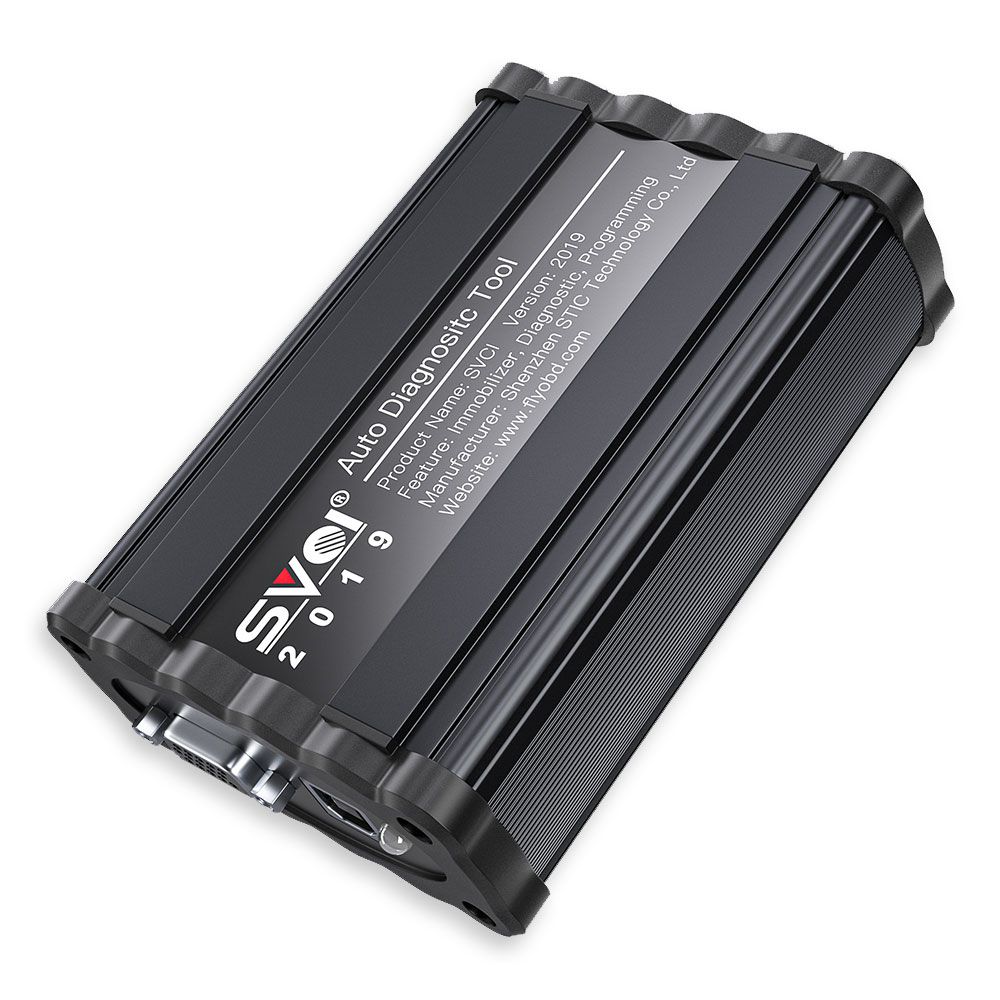
US $259 | SVCI V2019 FVDI ABRITES Commander Full Version FVDI 2019 Auto Diagnostic Tool

SVCI V2019 FVDI ABRITES Commander Full Version FVDI 2019 Auto Diagnostic Tool

SVCI 2019 Quick Launch Software has 38 shortcut icons. Left-click the icon to launch the corresponding software. Compared to the quick launch of SVCI 2018, the activation dialog is not displayed after clicking the icon.

Wholesale Top quality iProg+ Programmer BENZ ECOM DoIP Diagnostic and Programming Tool, VCM II for LandRover & Jaguar Diagnose and Programming Tool, VAS 5054A, GM Tech2, Scania VCI3, NEXIQ 2 USB Link, SBB VAG Pro, J2534 Programmer, VCDS VAG COM Cable. The VAS 5054A is a universal diagnostic interface for the vehicles of the Volkswagen Group and all OBD vehicle systems from other manufacturers. more products from chinaobd2, click here, download pdf

SVCI V2019 FVDI ABRITES Commander Full Version FVDI 2019 Auto Diagnostic Tool

SVCI V2019 FVDI ABRITES Commander Full Version FVDI 2019 Auto Diagnostic Tool

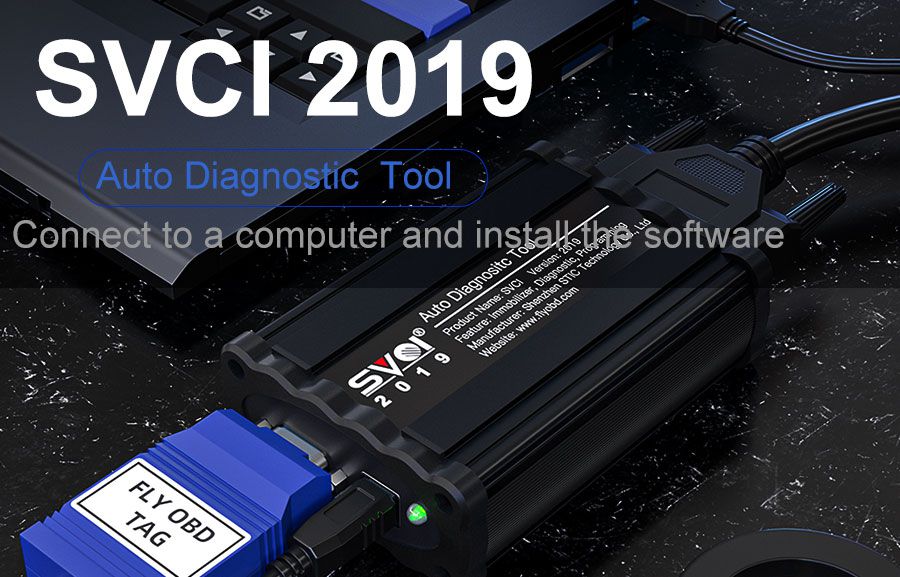
SVCI V2019


The Difference between SVCI 2019 and SVCI 2018:


Hardware Difference:


1. SVCI 2019 has fewer button batteries than SVCI 2018.

2. SVCI 2019 does not require activation, it will not lock the machine, and the serial number will not be lost.


Software Difference:


1. SVCI 2019 has three more software than SVCI 2018:

ABRITES Commander for VAG V37.0

ABRITES Commander for BMW V10.5

ABRITES Commander for Mercedes V10.4


2. These three softwares are all the latest software, and support basic functions such as fault diagnosis, fault code clearing, and data stream reading to new models 2019 VAG (Volkswagen Audi Skoda Seat), Mercedes-Benz, and BMW cars. Currently, special functions are not supported.


SVCI 2019 Software Installation:


There is only one executable file on the CD-ROM.

Double-click "AbritesCommanderSetup.exe" to start the installation.

Do not plug the USB into the computer during the installation.

After the installation is complete, connect the USB to the computer.


How to use SVCI 2019 Quick Start Software


SVCI 2019 Quick Launch Software has 38 shortcut icons. Left-click the icon to launch the corresponding software. Compared to the quick launch of SVCI 2018, the activation dialog is not displayed after clicking the icon.

The last icon is the firmware upgrade program. Click it to start the firmware upgrade program. You must be online to download the latest firmware program. After downloading, click Update to update the firmware program.

After clicking the icon, the dongle program icon will appear in the tray at the bottom right corner of the computer. The dongle program cannot be exited while the software is running.

SVCI(FVDI) HARDWARE COMPARISON
SVCI 2014 SVCI 2015 SVCI 2018 SVCI 2019
support software AVDI 18 software AVDI 18 software AVDI 18 software+ VVDI2 software AVDI 18 software+ VVDI2 software
Software version One version two version two version three version
Support the years of

Vehicle manufacture
before 2014MY before 2015MY before 2015MY before 2019MY for VW/Mercedes/BWM
connection network NO YES YES NO
Online activate NO YES YES NO
useful life forever 5 years 5 years forever
stability Strong general general Strong
needs repaired No may be may be No
SVCI(FVDI) SOFTWARE COMPARISON
SVCI 2014 SVCI 2015 SVCI 2018 SVCI 2019
VVDI x x v1.2.2 v1.2.2

v4.2.1
TAG v6.2 v6.2 v6.2 v6.2
VW/Audi/Skoda/Seat v18.0 v18.0

v24.0
v18.0

v24.0
v18.0

v24.0

v37.0
BMW/Mini v10.4 v10.4 v10.4 v10.4

v10.5
Mercedes_Benz/Smart/

MAYBACH
v5.11 v5.11

v7.0
v5.11

v7.0
v5.11

v7.0

v10.8
Renault/Dacia v5.2 v5.2

v6.3
v5.2

v6.3
v5.2

v6.3
Peugeot/Citroen v5.10 v5.10

v6.7
v5.10

v6.7
v5.10

v6.7
Fiat/Lancia/Alfa Romeo v5.1 v5.1

v5.7
v5.1

v5.7
v5.1

v5.7
Opel/Vauxhall v5.8 v5.8

v6.6
v5.8

v6.6
v5.8

v6.6
Ford/Mazda v4.9 v4.9 v4.9 v4.9
Chrysler/Doge/Jeep v3.3 v3.3 v3.3 v3.3
Toyota/Lexus/Scion v9.0 v9.0 v9.0 v9.0
Nissan/Infiniti v4.3 v4.3 v4.3 v4.3
Hyundai/KIA v2.1 v2.1 v2.1 v2.1
Volvo v4.3 v4.3 v4.3 v4.3
Mitsubishi Motors v2.1 v2.1 v2.1 v2.1
Porsche v4.1 v4.1 v4.1 v4.1
DAF v1.0 v1.0 v1.0 v1.0
Bikes/Snowmobiles/

Water scooters
v1.2 v1.2 v1.2 v1.2
SVCI(FVDI)SVCI SUPPORTED MODEL YEAR COMPARISON
SVCI 2014 SVCI 2015 SVCI 2018 SVCI 2019
VVDI
TAG before 2014MY before 2015MY before 2015MY before 2015MY
VW/Audi/Skoda/Seat before 2014MY before 2015MY before 2015MY before 2019MY
BMW/Mini before 2014MY before 2015MY before 2015MY before 2019MY
Mercedes_Benz/Smart/

MAYBACH
before 2014MY before 2015MY before 2015MY before 2019MY
Renault/Dacia before 2014MY before 2015MY before 2015MY before 2015MY
Peugeot/Citroen before 2014MY before 2015MY before 2015MY before 2015MY
Fiat/Lancia/Alfa Romeo before 2014MY before 2015MY before 2015MY before 2015MY
Opel/Vauxhall before 2014MY before 2015MY before 2015MY before 2015MY
Ford/Mazda before 2014MY before 2015MY before 2015MY before 2015MY
Chrysler/Doge/Jeep before 2014MY before 2015MY before 2015MY before 2015MY
Toyota/Lexus/Scion before 2014MY before 2015MY before 2015MY before 2015MY
Nissan/Infiniti before 2014MY before 2015MY before 2015MY before 2015MY
Hyundai/KIA before 2014MY before 2015MY before 2015MY before 2015MY
Volvo before 2014MY before 2015MY before 2015MY before 2015MY
Mitsubishi Motors before 2014MY before 2015MY before 2015MY before 2015MY
Porsche before 2012MY before 2012MY before 2012MY before 2012MY
DAF before 2014MY before 2015MY before 2015MY before 2015MY
Bikes/Snowmobiles/

Water scooters
before 2014MY before 2015MY before 2015MY before 2015MY


Package includes:


1pc x SVCI V2019 FVDI ABRITES Commander Full Version FVDI 2019 Auto Diagnostic Tool


Go to Buy: SVCI V2019 FVDI ABRITES Commander Full Version FVDI 2019 Auto Diagnostic Tool

https://www.instapaper.com/p/chinaobd2

http://public.bookmax.net/chinaobd2

US $98.99 | Latest Version Scania SDP3 V2.41.3 Scania VCI-3 VCI3 Scanner Wifi Diagnostic Tool for Scania

Latest Version Scania SDP3 V2.41.3 Scania VCI-3 VCI3 Scanner Wifi Diagnostic Tool for Scania

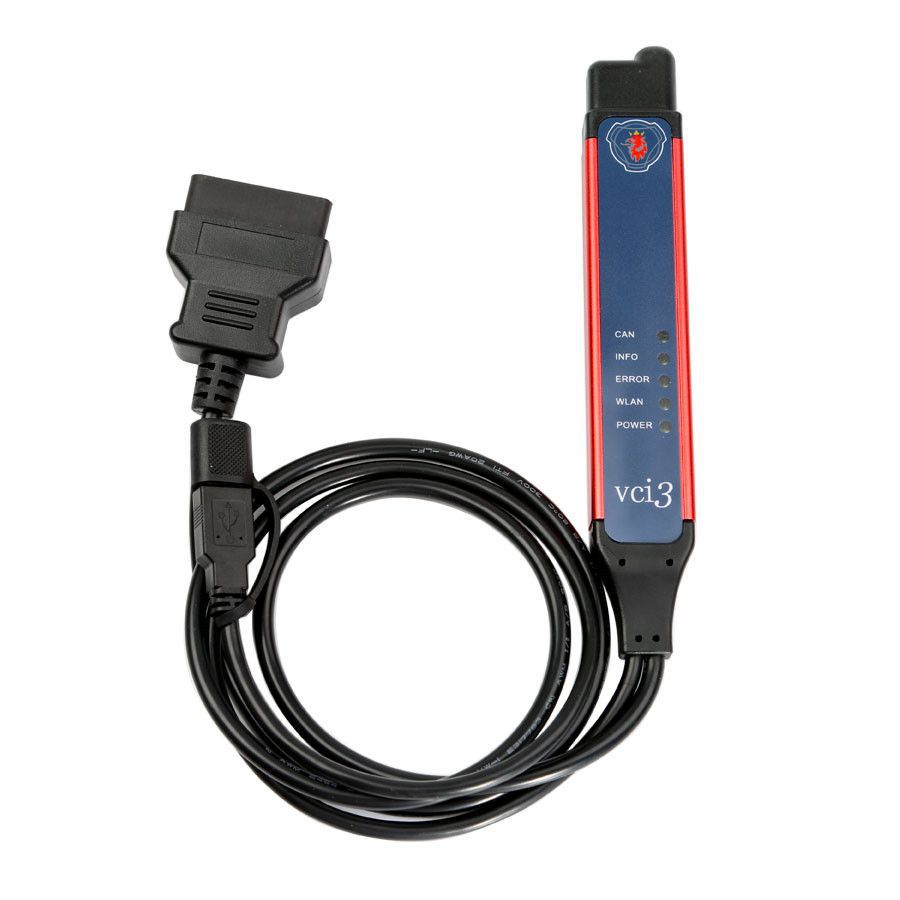
Scania VCI3 comes with latest version of SDP3 (2.41.3) , it is a brand new tool designed by Scania to provide full maintenance for all Scania trucks, buses and other heavy vehicles or heavy duty engines made by Scania. VCI3 is a successor of well known diagnostic tool Scania VCI2

Wholesale Top quality iProg+ Programmer BENZ ECOM DoIP Diagnostic and Programming Tool, VCM II for LandRover & Jaguar Diagnose and Programming Tool, VAS 5054A, GM Tech2, Scania VCI3, NEXIQ 2 USB Link, SBB VAG Pro, J2534 Programmer, VCDS VAG COM Cable. The VAS 5054A is a universal diagnostic interface for the vehicles of the Volkswagen Group and all OBD vehicle systems from other manufacturers. more products from chinaobd2, click here, download pdf

Latest Version Scania SDP3 V2.41.3 Scania VCI-3 VCI3 Scanner Wifi Diagnostic Tool for Scania

Latest V2.41.3 Scania VCI-3 VCI3 Scanner Wifi Wireless Diagnostic Tool for Scania
Top 4 Reasons to Get Scania VCI3:

  1. Latest Version: V2.41.3
    We will send the CD or download link to you, there is a instructions in the CD or download files, it's very easy to install the software, After you finish the installation of SDP3 2.41.3, pass the Sdp3 HWID to us for activation.(Including one time free activation only).
  2. Support All Scania Trucks, Buses and other Heavy Vehicles or Heavy Duty engines Made by Scania
  3. Wifi Available
  4. Support Languages:English, German, Spanish, French, Japanese, Dutch, Polish, Portuguese, Swedish, Norwegian, Suomi, Turkish, Italian, Czech, Russian, Chinese
  5. Updatable (Buy New Software)
V2.41.3 Scania SPD3 for VCI-3 VCI3 Scanner
Notice:
The adapter does not work with trucks and engines manufactured before 2004

V2.41.3 SDP3 Support Operating System:


  • Win7 sp1 ultimate edition 32 or 64
  • Win7 pro sp1 just 32 bit
Scania VCI3 Description:

  1. Scania VCI3 is designed to support all Scania diagnostic systems based on CAN network, it’s a extremely fast yet very compact diagnostic tool.
  2. One of the most interesting new features that can be found in Scania VCI3 is a Wifi wireless connection (also there is a USB connector for wired connection).
  3. From now you can work without wired connection to your truck, just forget these problems like damaged data cables and other disadvantages of wired connections.
  4. Software support for Scania VCI3 appeared in Scania SDP3 2.27 version so if you want to use this tool you need this version of SDP3 or later versions of this software.
  5. The device is designed for full service trucks, buses and other heavy vehicles, which produces the corporation SCANIA. Adapter works in conjunction with software SDP-3.
  6. The adapter does not work with trucks and engines manufactured before 2004.
  7. The main feature of VCI-3 - Work through a high-speed WI-FI connection. Also in the device has a USB port.
SCANIA VCI3 Features:

  1. WLAN version 802.11b/g
  2. Encryption protocols: WPA2/WPA/WEP128/WEP64
  3. USB 2.0 (compatible with USB 1.1)
  4. Lightweight aluminum housing with IP67 protection
  5. Polyurethane cables for extreme conditions.
  6. Operating voltage CAN BUS (7 - 40V DC)
Optional Software:

  • XCOM 2.30 - diagnostic software for chiptunning
SCANIA VCI3 Package List:

  • 1pc x Scania VCI 3 adapter
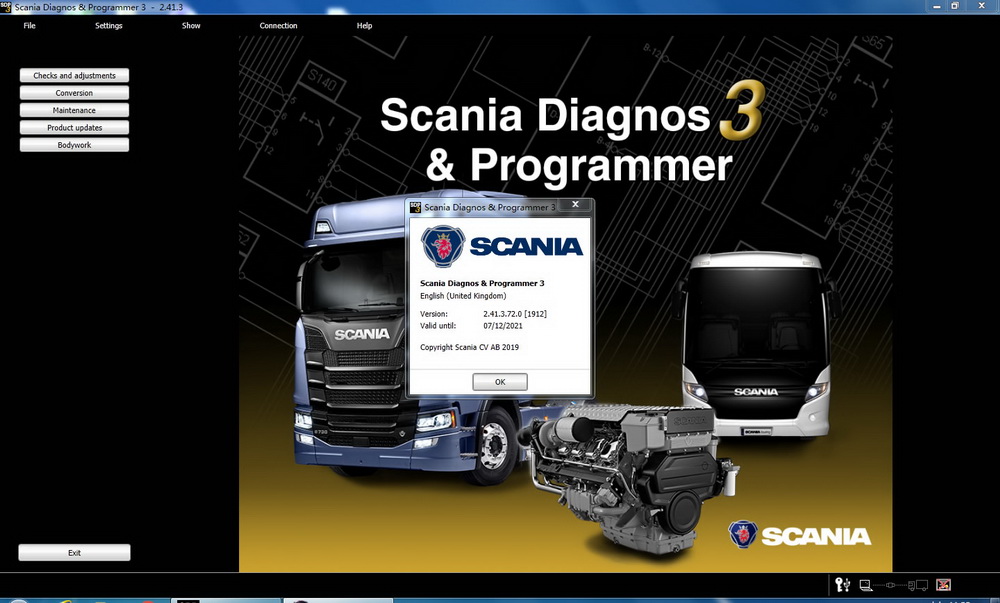
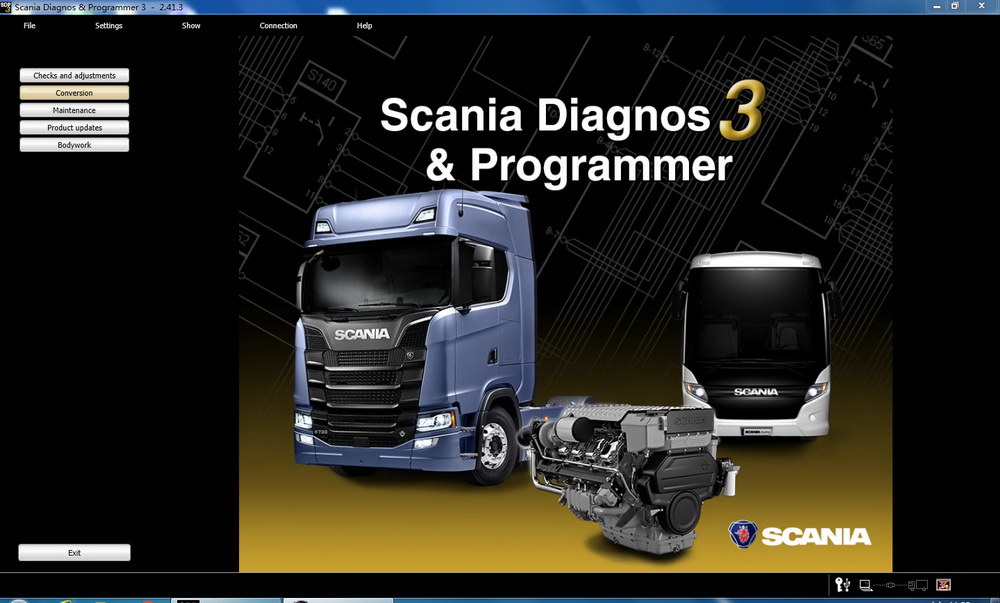
Software interface of SDP3 V2.41.3

SDP3 V2.41.3

Go to Buy: Latest Version Scania SDP3 V2.41.3 Scania VCI-3 VCI3 Scanner Wifi Diagnostic Tool for Scania

https://www.instapaper.com/p/chinaobd2

http://public.bookmax.net/chinaobd2

US $2899 | Alpha Automatic Key Cutting Machine Support Automobile,Residential,Motorcycle,Dimple,Tubulars,FO21

Alpha Automatic Key Cutting Machine Support Automobile,Residential,Motorcycle,Dimple,Tubulars,FO21

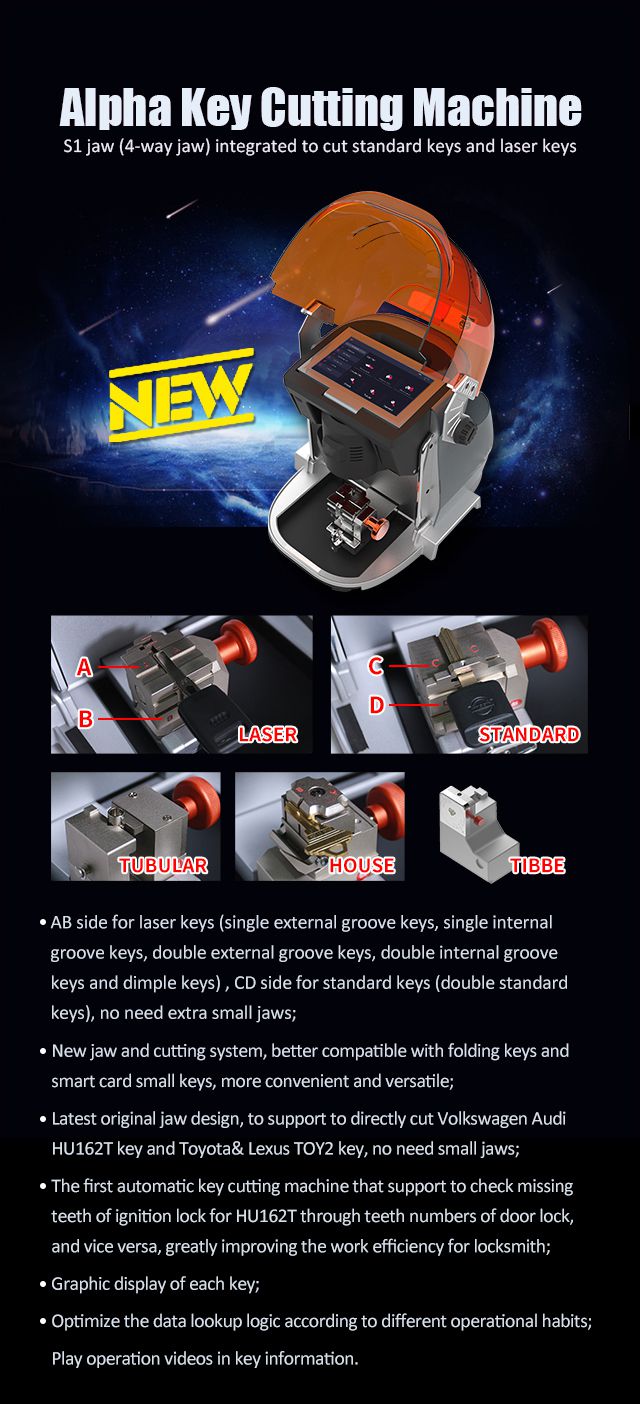
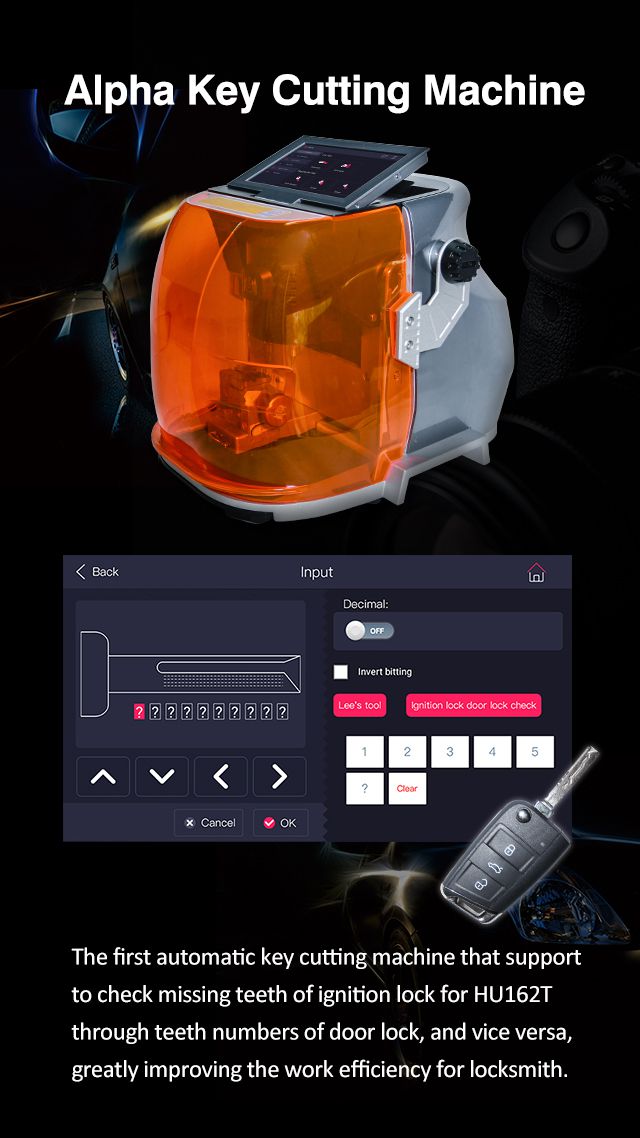
Alpha Automatic Key Cutting Machine All In One is the first 4-way jaw for standard keys, laser keys & dimple keys in international market. Best Key Cutting Machine for All Key Lost!

Wholesale Top quality iProg+ Programmer BENZ ECOM DoIP Diagnostic and Programming Tool, VCM II for LandRover & Jaguar Diagnose and Programming Tool, VAS 5054A, GM Tech2, Scania VCI3, NEXIQ 2 USB Link, SBB VAG Pro, J2534 Programmer, VCDS VAG COM Cable. The VAS 5054A is a universal diagnostic interface for the vehicles of the Volkswagen Group and all OBD vehicle systems from other manufacturers. more products from chinaobd2, click here, download pdf

Alpha Automatic Key Cutting Machine Support Automobile,Residential,Motorcycle,Dimple,Tubulars,FO21

Alpha Automatic Key Cutting Machine All In One

First 4-way jaw for standard keys, laser keys & dimple keys in international market.

Alpha Automatic Key Cutting Machine

Alpha Key Cutting Machine Advantage:


1. New jaw and cutting system, better compatible with folding keys and smart card small keys, more convenient and versatile;

2. Latest original jaw design, to support to directly cut Volkswagen Audi HU162T key and Toyota& Lexus TOY2 key, no need small jaws;

3. The first automatic Key Cutting Machine that support to check missing teeth of ignition lock for HU162T through teeth numbers of door lock, and vice versa, greatly improving the work efficiency for locksmith;

4. Some optional jaws for your choice, including house key jaw, FO21 key jaw, tubular key jaw and engraving jaw;

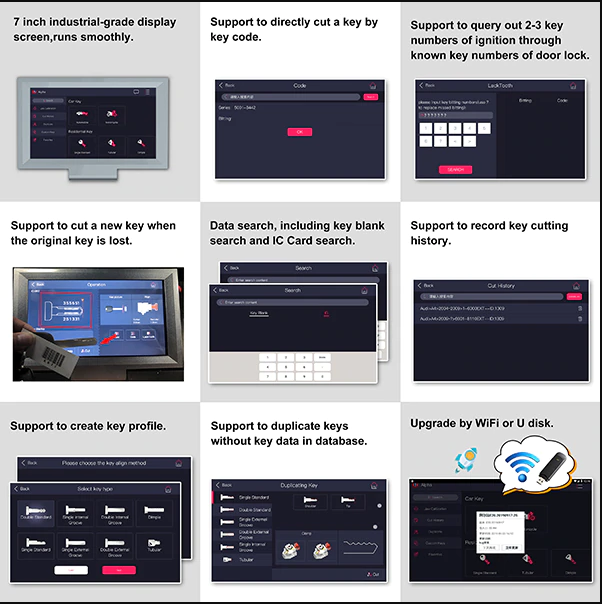
5. Graphic display of each key.


Alpha Automatic Key Cutting Machine


Alpha Key Cutting Machine Feature:


Support to cut automobile,Chinese car,residential,dimple & tubular keys etc.

Adopted high-precision ballscrew for X, Y & Z axis,bringing higher repetitive positioning accuracy.

Adopted DC brushless motor for Z axis to control cutter directly,bring higher cutting precision and lower noise.

Portable for mobile, easy to work outside

Equipped with tool box to place decoder, cutter, calibration block etc.


Alpha Key Cutting Machine Special Features:


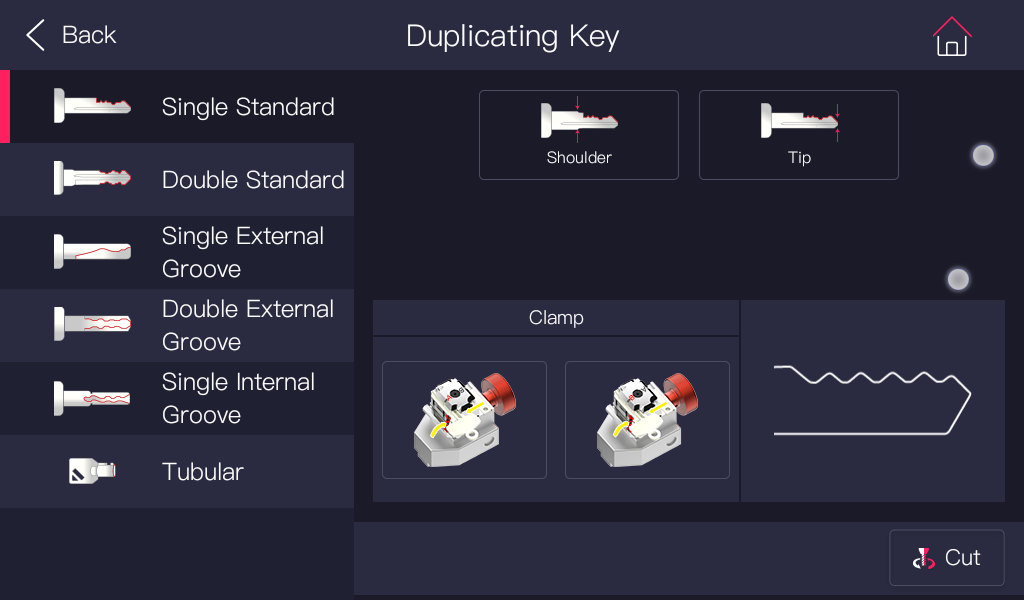
Support to duplicate keys without key data in database

Including single standard keys, double standard keys, single external groove keys,double external groove keys,internal groove keys & tubular keys


Alpha Automatic Key Cutting Machine


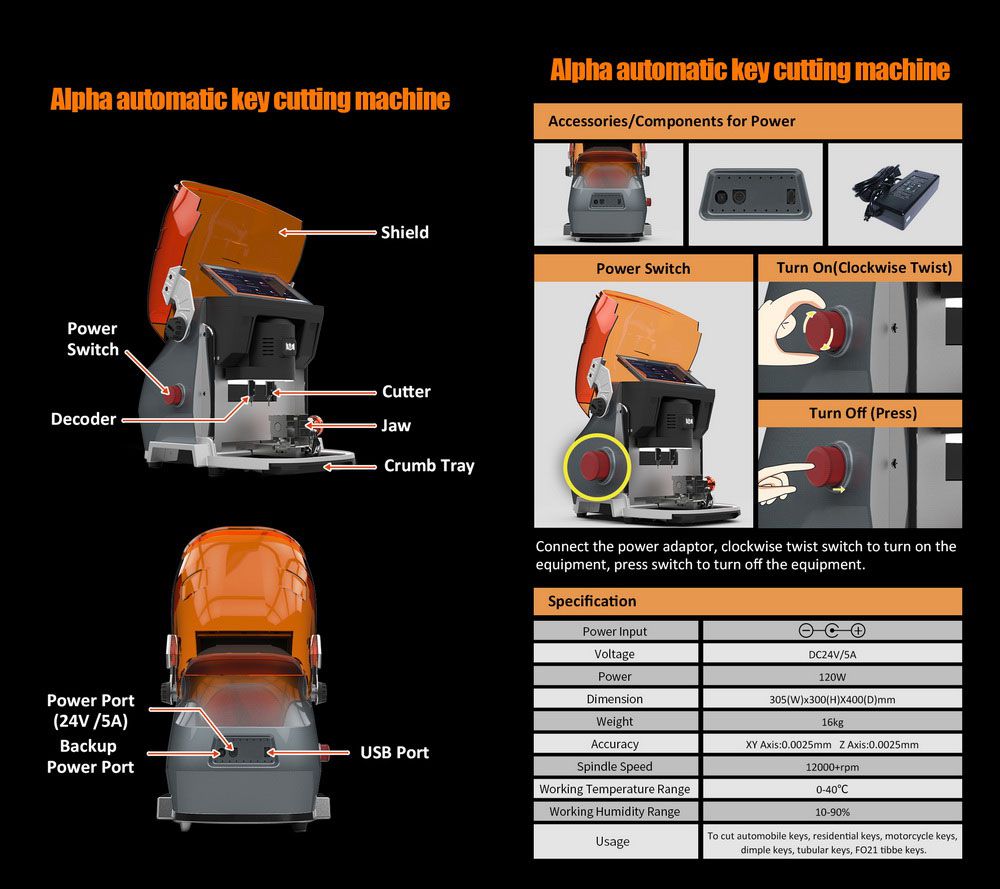
Alpha Key Cutting Machine Technical Parameter:


Voltage: 24V 5A

Power: 120W

Dimension: 305(W)x300(H)mmx400(D)mm

Weight: 16KG

Accuracy: XY Axis 0.0025mm Z Axis 0.0025mm

Spindle Speed: 12000+ rpm

Working Temperature Range: 0-10℃

Working Humidity Range: 10-90℃

Usage: Automobile Keys,residential key,motorcycle keys,dimple keys,tubular keys,FO21 tible keys.


Alpha Automatic Key Cutting Machine

Alpha Key Cutting Machine Software Display:

Alpha Automatic Key Cutting Machine

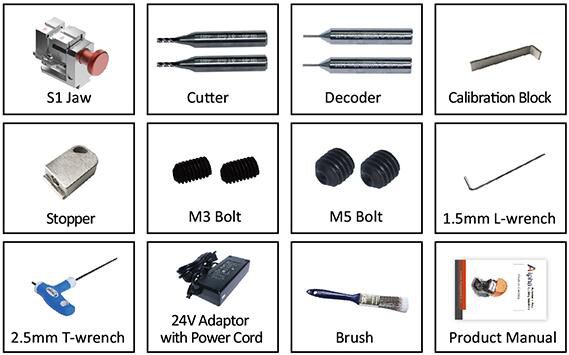
Alpha Key Cutting Machine Package List:


1 pc x S1 Jaw

2 pc x cutter

2 pc x decoder

1 pc x Calibration Block

1 pc x Stoper

2 pc x M3 Bolt

2 pc x M5 Bolt

1 pc x 1.5mm L-wrench

1 pc x 2.5mm T-wrench

1 pc x 24V Adapter with Power Cord

1 pc x Brush

1 pc x User Manual


Go to Buy: Alpha Automatic Key Cutting Machine Support Automobile,Residential,Motorcycle,Dimple,Tubulars,FO21

http://public.bookmax.net/chinaobd2

https://www.instapaper.com/p/chinaobd2

US $27.99 | YH BM7S Key For BMW 7 Series 315LPMHZ

YH BM7S Key For BMW 7 Series 315LPMHZ

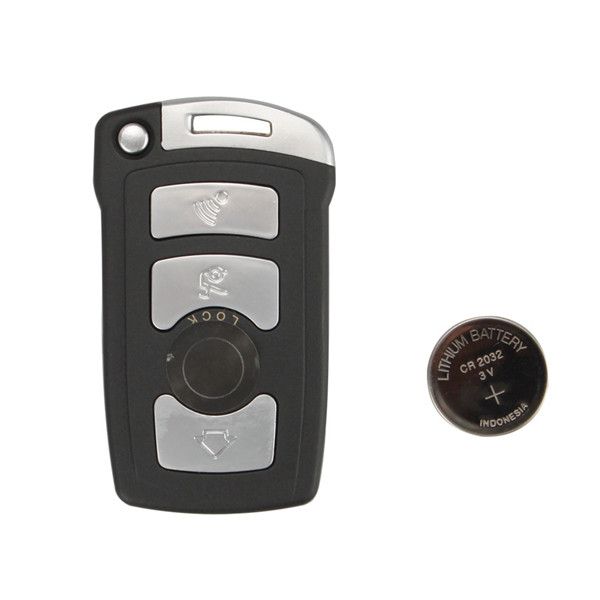
YH BM7S Key for BMW 7 Series 315LPMHZ

Wholesale Top quality iProg+ Programmer BENZ ECOM DoIP Diagnostic and Programming Tool, VCM II for LandRover & Jaguar Diagnose and Programming Tool, VAS 5054A, GM Tech2, Scania VCI3, NEXIQ 2 USB Link, SBB VAG Pro, J2534 Programmer, VCDS VAG COM Cable. The VAS 5054A is a universal diagnostic interface for the vehicles of the Volkswagen Group and all OBD vehicle systems from other manufacturers. more products from chinaobd2, click here, download pdf

YH BM7S Key For BMW 7 Series 315LPMHZ


YH BM7S Key for BMW 7 Series 315LPMHZ


Especially for BMW 7 series from Japan and Korea.


Package List:


1pc x YH BM7S Key for BMW 7 Series 315LPMHZ


Go to Buy: YH BM7S Key For BMW 7 Series 315LPMHZ

http://public.bookmax.net/chinaobd2

https://www.instapaper.com/p/chinaobd2

Thursday, December 12, 2019

Scania VCI3 Latest Vesrion Software Scania SDP3 V2.41.3 Installation Guide

Scania VCI3 is a brand new tool designed by Scania to provide full maintenance for all Scania trucks, buses and other heavy vehicles or heavy duty engines made by Scania.

How to install the software of Scania VCI3 Latest Vesrion Software Scania SDP3 V2.41.3?

Here chinaobd2.com give you the installation guide, just follow the video to do.

The best system for SDP3 2.41.3 is Windows 7 32/64 bit


Install Windows 7 32/64 bit


1) Install run admin mode --- Prerequisites.bat
2) Restart --- (you must leave the mode enabled, but only win 7 64 bit, in Win 7 32 bit it is not necessary)
3) Install Sdp3 2.41.3
4) Install driver 32 or 64 Bit
5) Run "Hardware ID Reader" copy ID machine
6) Send the Machine ID to us for activation, we will send you back a .reg file.
7) Run clik .reg file and apply
8) Copy and replace in the program folder 2 file "Fix File"
9) Run install "ScaniaSDP3Time"
10) Restart PC


For upgrading the previous version

1) Install Sdp3 2.41.3
2) Copy and replace in the program folder 2 file "Fix File"

if during the installation it crashes, uninstall in the programs --- Kvaser Can Driver WHCP and reinstall Sdp3 2.41.3

Any Questions, welcome to contact support@chinaobd2.com

Chinaobd2 Support Team
www.chinaobd2.com


More information about Scania VCI3, follow this link: https://www.chinaobd2.com/wholesale/scania-vci3-with-sdp3-2.41.3.html

SDconnect c4 DAS not work after network cable is connected (fixed)

After connecting the network cable, toolkit is connected, but DAS doesn’t work. If I disconnect the OBD cable, C4 will turn off. If I connect the OBD cable, C4 will turn on and the screen displays shown as below, but the network fails to connect.


chinaobd2.com engineer solution:
To connect sdconnect c4 to one computer to upgrade C4 hardware.
sdconnect c4 hardware update procedure:
Instructions for the SDconnect Software Update:
with DVD 07/2011
Star Diagnosis variant:
compact4 with SDconnect
compact3 w with SDconnect
Operating system:
Windows XP
Network:
LAN (wired connection)
WLAN (wireless connection)
Objective:
This document provides simple step-by-step instructions for updating the kernel software (operating system) on
your Star Diagnosis SDconnect multiplexer.
The kernel update of the SDconnect is similar to a regular software update via the Star Diagnosis system.
Step 1 Introduction
Step 2 Connecting the SDconnect to the Star Diagnosis system.
Step 3 SDnetControl
Step 4 Software update
Step 5 Completing the installation
Step 6 Checking the installed software
Step 1 Introduction
Check battery if needed (only if related message is shown in the display)
When working on the vehicle or using an external power supply, the message “! Batteries cannot be charged!” may sometimes appear on the SDconnect display:
This may be related to tarnishing, crystal formation, or corrosion on the battery contacts or leaking batteries:


Since the external power supply is extremely important for the update process, the batteries should be checked for the above-mentioned indications by removing the side panel on the SDconnect (see details on how to install batteries at
http://blog.chinaobd2.com/easy-guide-on-how-to-install-mb-sd-c4-batteries/ ).
  • If the batteries are contaminated, you can do the following:
– Clean or polish the battery contacts and re-check the battery function.
– Exchange the batteries if necessary (see SDconnect manual, chapter 2.3.2, for notes on batteries)
  • After checking the batteries, you can continue with the next step.
Closing the Xentry Diagnostics/Xentry DAS diagnostics application
When accessing a vehicle in Xentry Diagnostics or Xentry DAS, the following message appears:

Please exit the diagnostic application Xentry Diagnostics or Xentry DAS correctly and follow the next steps.
Step 2 Connecting the SDconnect to the Star Diagnosis system
Connect the SDconnect to the Star Diagnosis system with the green cable.
The SDconnect will be automatically selected and appear in the deskband on the Star Diagnosis system:

Step 3 SDnetControl
Start SDnetControl by clicking the deskband
Go to the “Connections” tab.
2) Check whether automatic selection via the cable connection is active:

Go to the “Configuration” tab, and confirm the warning with “Yes”:

Step 4 Software update
Go to the “MUX” tab in SDnetControl.
Click on the “Software update” button.

The “SDconnect Toolkit Administration” program will start.
Go to the “Software update” tab in the SDconnect Toolkit.
Your SDconnect is already selected on the left-hand side.
Select the “Software update” packet under “Files for software update”.
Click “Start” to start the process.

The update process will start. This takes approx. 4 minutes.
Step 5 Completing the installation
Confirm the successful completion of the update.
After a successful update, a message indicating the successful update completion appears.
Confirm the message by clicking “OK”.

Update not successful
If the update was not successful, the message “The software update was aborted. Please repeat theupdate process” will appear.
Confirm this message by clicking “OK”. Check the SDconnect batteries if necessary and repeat the update process.


Step 6 Checking the installed software
Go to the “Information” tab in SDconnect Toolkit
Select your SDconnect on the left-hand side.
  • Check the information under “Software versions” at the right:
The versions of the Linux OS and the CommandServer must be at least 2:0:xxxxxx.
The SDconnect software update is complete. The green cable can be removed.

www.chinaobd2.com